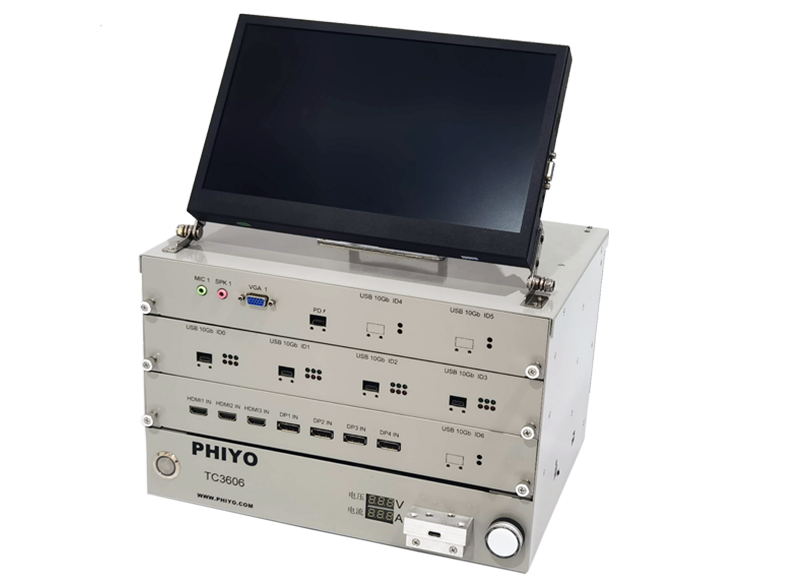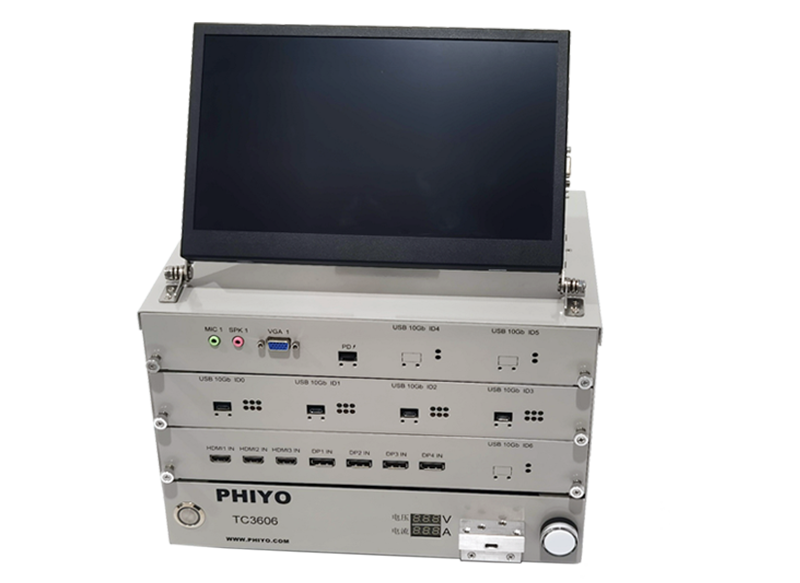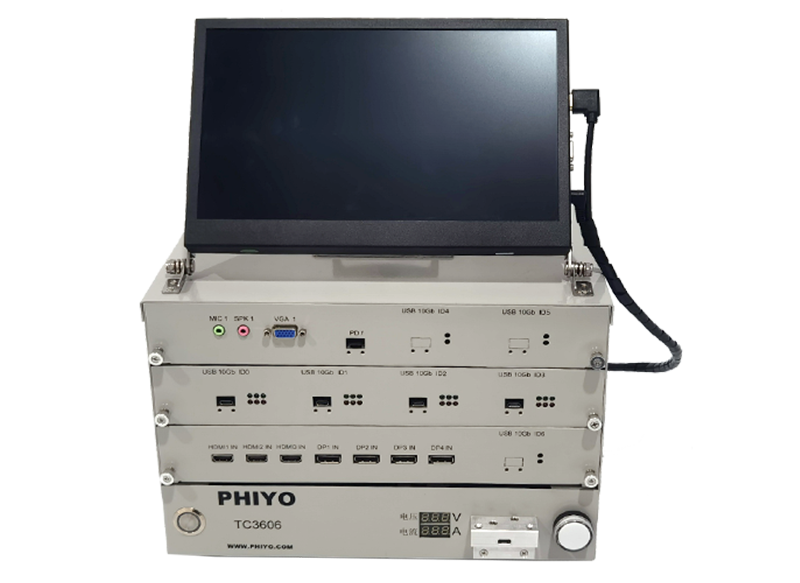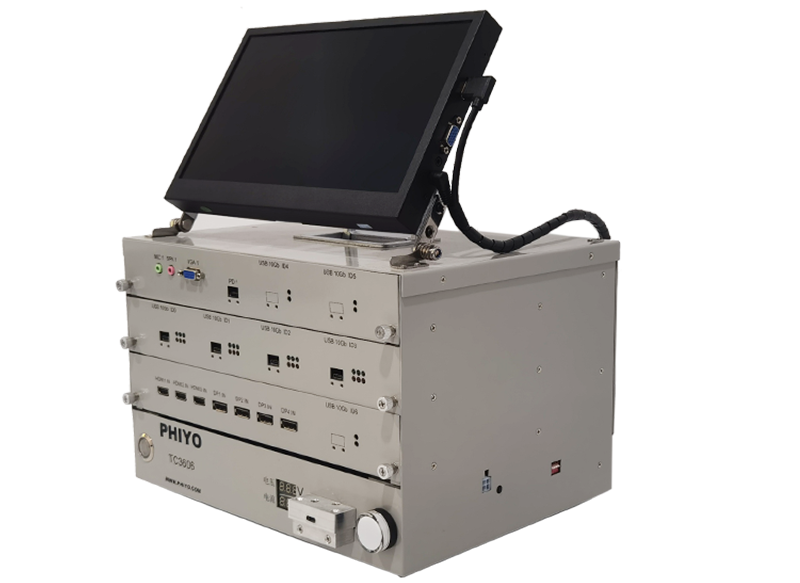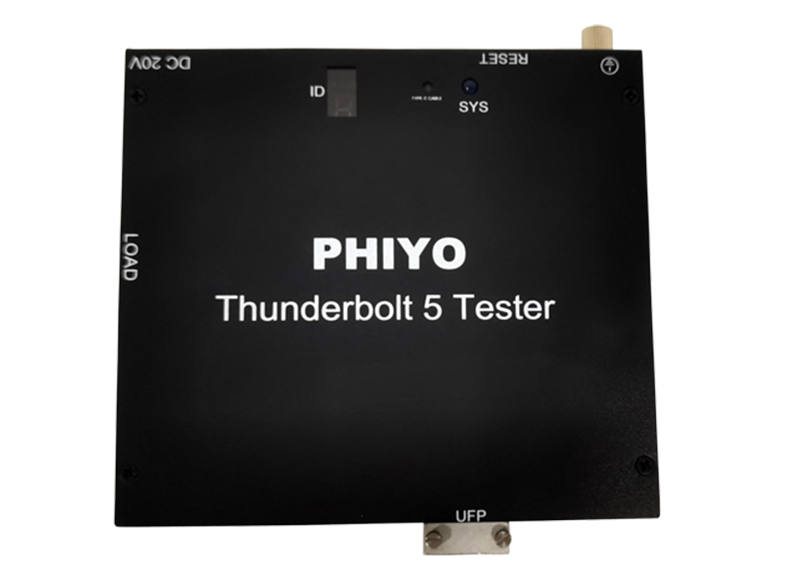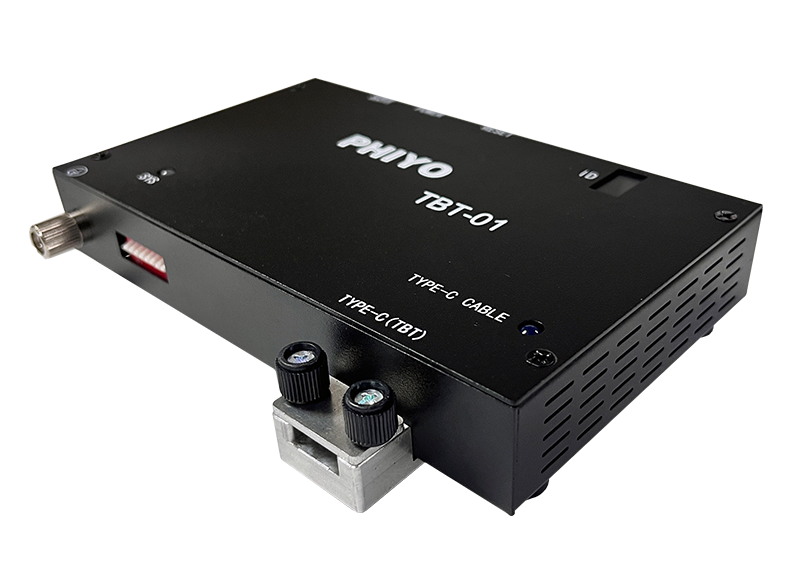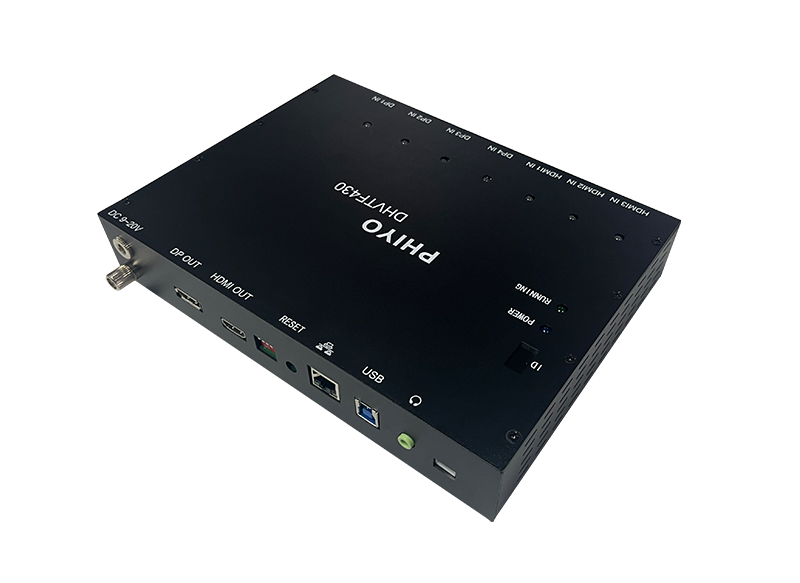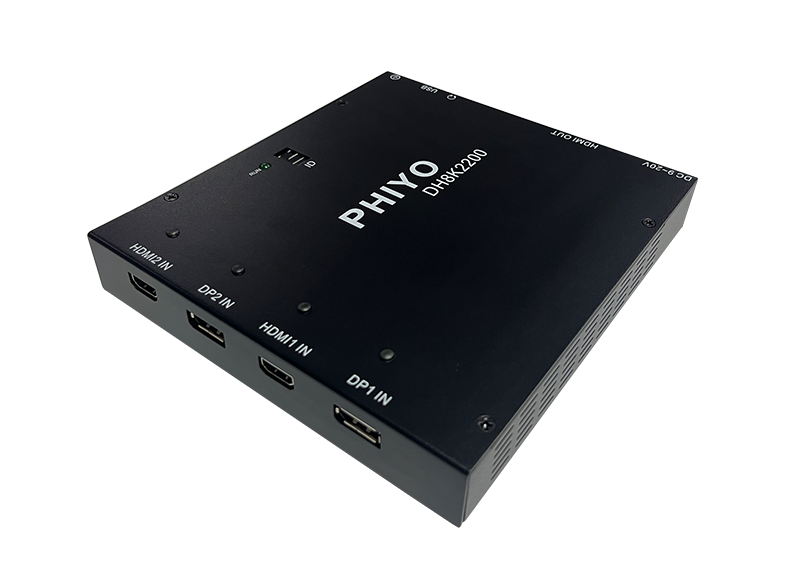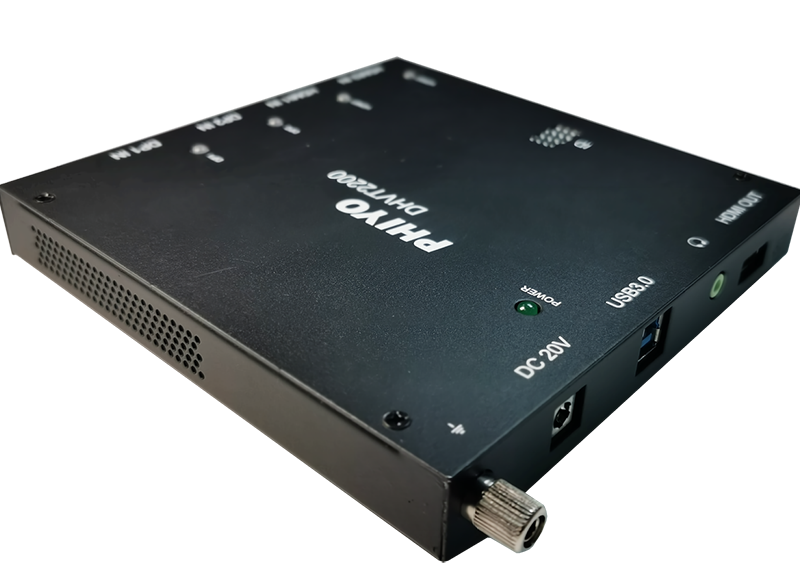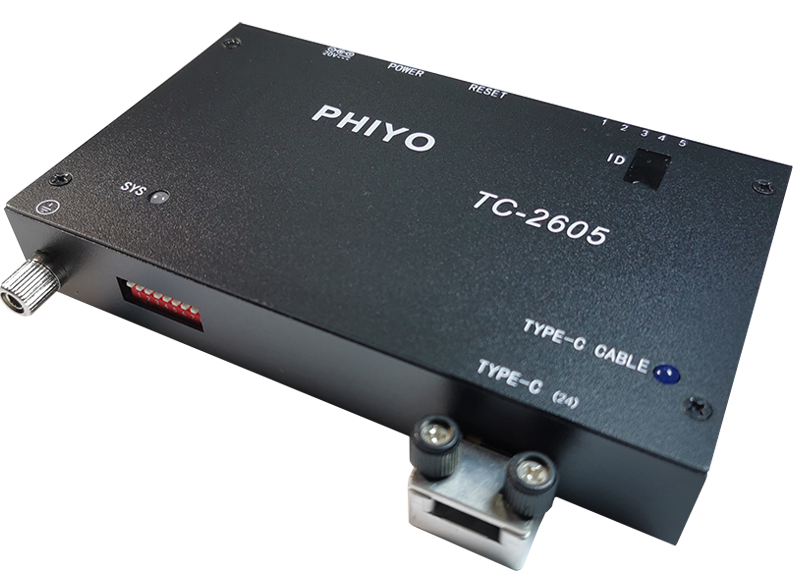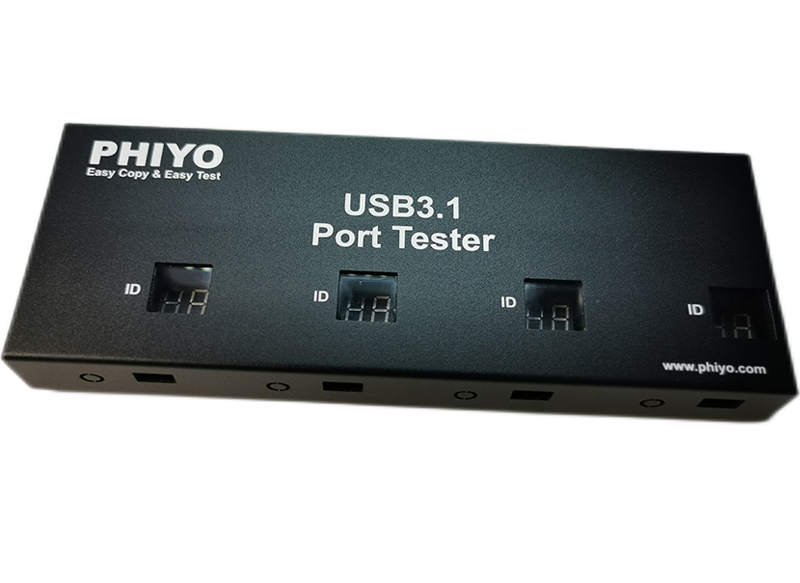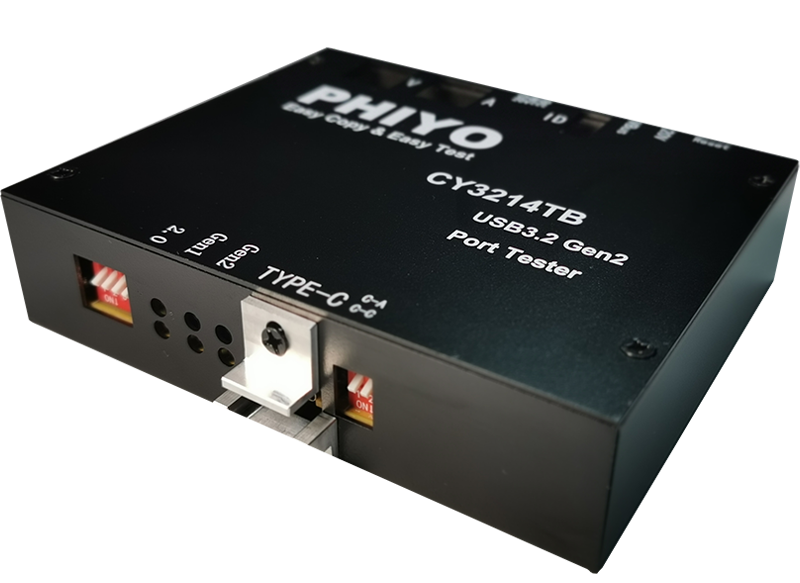
TC-3606 Product profile
TC-3606 is our compliant Type-C display, Type-C equipment and wire manufacturers such as Type-C Docking & Type-C Dongle, Self-developed new generation of Type-C signal test equipment; With the built-in PD test function, Support PD3.1 standard and positive and negative PD test.Thus, it can be used for the comprehensive testing of USB, video, network, TF/SD,PD. Of USB Type-C interface equipment and Type-C Docking & Dongle bridge.
At present, Type-C product manufacturers generally use ordinary notebook computers as the source end. Laptop computers are often damaged due to frequent plugging, short circuit, static electricity and improper force, and the maintenance process is too long, which brings a lot of trouble to the production and use department.
This Type-C signal source product has the following characteristics:
1. USB4 (40 Gbps), USB3.2 Gen2 (10 Gbps), DP1.2 and HDMI 2.0 standards are supported. 2. Support PD3.1 specification, can communicate with the equipment to be tested, obtain the correct upward charging voltage and current, provide the pull load terminal, and have the voltage and current monitoring circuit, automatically judge the PD function. 3. Up to support 7680*4320@30Hz video signal output, 4 LANE transmission DP signal. 4. The front panel is equipped with an independent LED indicator light to indicate the test results, and two LED digital tubes to display the working voltage and current of the product to be tested, which can cover VBUS whether there are open circuit and short circuit problems. 5. Provide six USB3.2 test modules, one audio (MIC&SPK) test module, three DP1.2 test modules (one supporting 2K/4K@30 HZ, two supports 2K/4K@60 HZ), two HDMI 2.0 test modules (supporting 2K/4K@60 HZ), one HDMI1.4a test module (supporting 2K/4K@30 HZ), one VGA test module (supporting 1920*1080@60 HZ), and all test modules can be added or matched according to customer needs. 6. The interface software used for testing can be customized according to the customer test needs. 7. Compatible with common Docking, Dongle, Adapter and other Type-C interface devices on the market. | 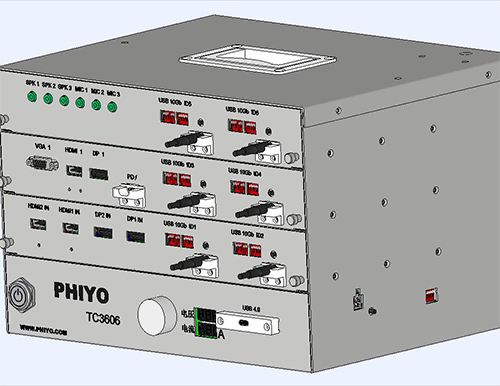 |
The USB 3.2 module
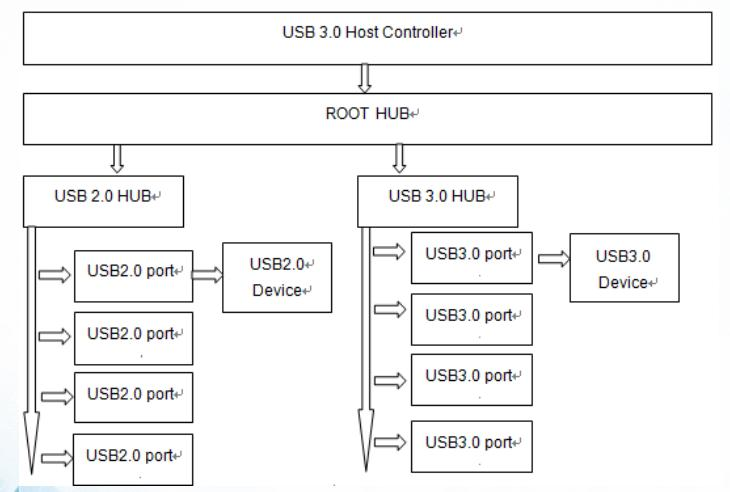
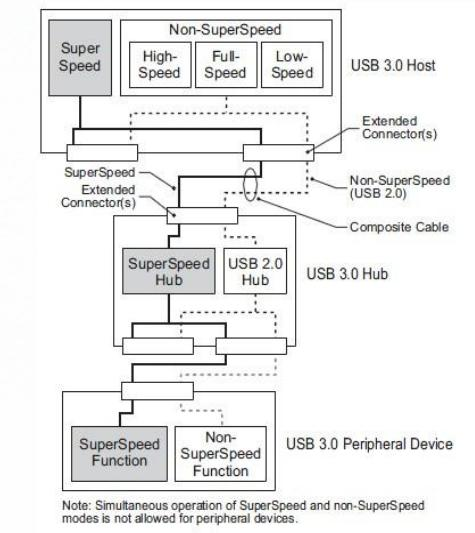
As shown in Figure Figure (1-1), for each USB device, there are one or more Host controllers, the Host controller and an Root Hub as a whole. This Root Hub can be connected with multistage Hub, and each sub Hub can be sub Hub. Each USB device is connected as a node to a different level of Hub. |
1-1 |
As can be seen from the connection diagram of the test equipment (1-2), USB 3.0 contains SS, HS, FS and LS channels, in which SS channels and Non-SS channels are relatively independent. Testing of the USB function requires separate testing of the SS channels and the Non-SS channels. The user connects the USB test board to the USB port (USB Host) of the device to be tested, which is enumerated in the operating system device manager and cooperates with the test program to detect the enumerated device (USB Device) and USB port under the system. At the same time, the built-in USB BC1.2 control chip realizes the comprehensive functional test of USB equipment type, working mode, data transmission, power supply and load. |
1-2 |
Test item:
Test Item | Support | Test Item | Support |
Connection Test | V | Disconnection Test | V |
VBUS Detect | V | 5V 0.5A/1A/1.5A Loading Test | V |
D+/D-Test | V | SSRX/SSTX Test | V |
USB 2.0&3.2 R/W Speed Test | V | USB2.0 FS/HS | V |
USB 3.0&3.2 SS | V | Reversible Plug Orientation(C-C) | V |
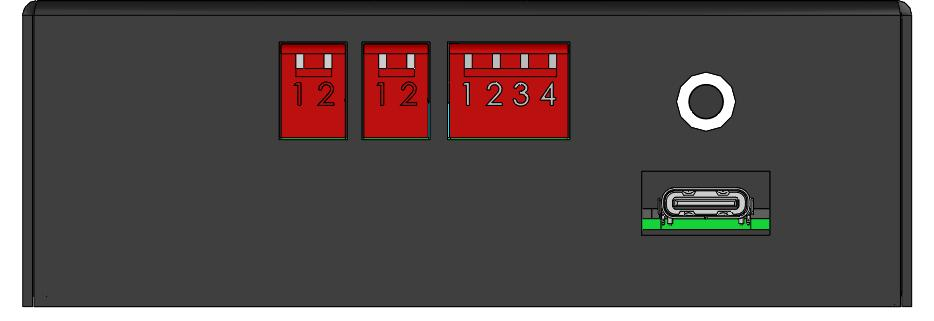
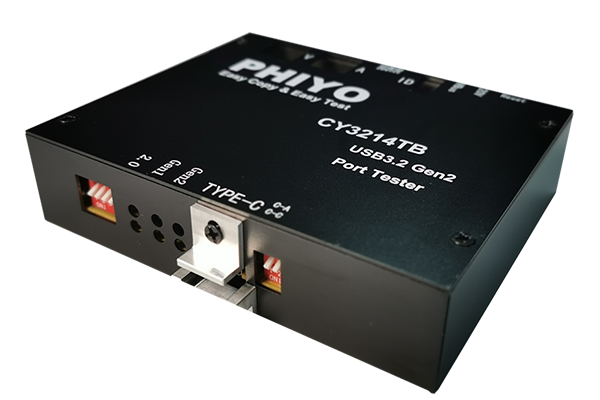
Schematic diagram of dial switch setting:
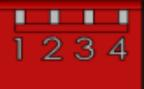
Two-digit dial code (left): 1 dial code is used to control the power supply, using USB A to C 5V self-power supply when dialing, and 20V external power supply is used when dialing. The 2 dial code is only used when updating FW, up-dial the test mode, dial down to enter the burning mode. Two-digit dialing (right): Number 1 dialing is used to control the cable connected during the test, use a USB-A to C cable when dialing up, and a USB-C cable when dialing down. Dip switch 2 is used to control the initial status of the test box. The up-dip is in 3.2 GEN 2 mode and the down-dip is in 3.2 GEN 1 mode. Four-digit dial code: 1~4 dial code switch: control ID (0~9) (Note: when multiple boards are connected at the same time, the test board equipment number can not be repeated!) |
|
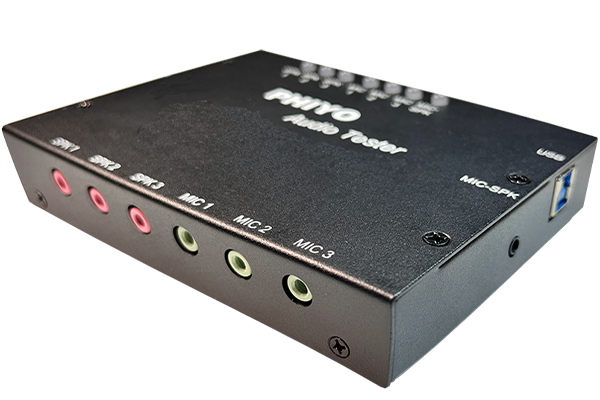
Audio test module
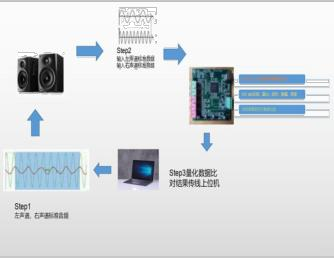
As shown in the figure below, the test board collects and samples the audio source files of the HOST terminal (Phone & PC), compares the A/D ADC samples with the standard audio files, and then returns the sampled parameters with the software. Transmission parameters for the audio transmission and test instructions for the test board: Signal-to-noise ratio (S/N): the ratio of effective sound source to ambient sound, which reflects the quality of the transmission sound source, using the Fourier algorithm to compare the effective sound source and ambient sound respectively; Volume (Value): the sound loudness of the transmission end, which detects the voltage amplitude of the analog signal on the transmission end; Frequency of the left and right channel (Freq): detection of sound frequency at the transmission end, detection of whether there is crosstalk between the left and right channels; |
|
Video test module
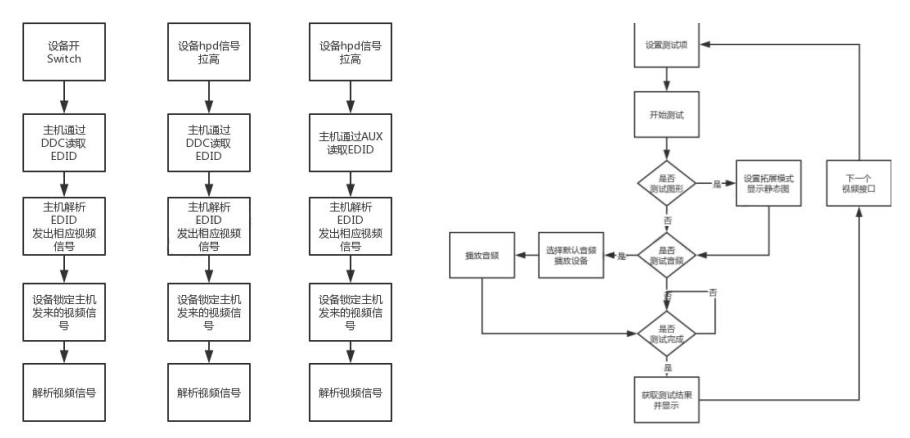
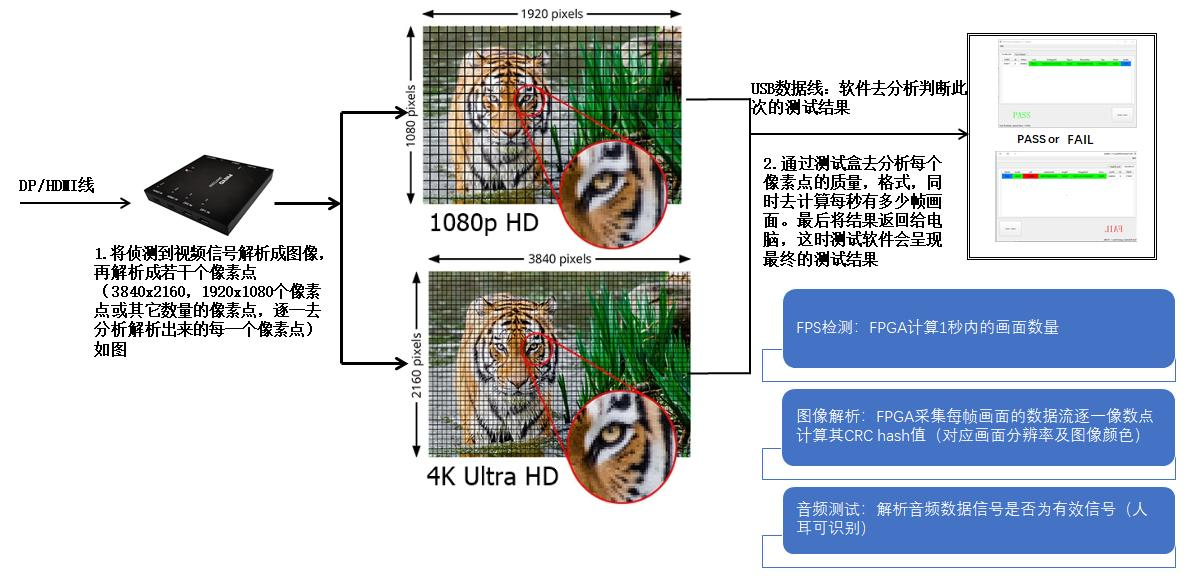
The product supports DP & HDMI & VGA three types of interfaces simultaneously connected into the test board, DP & HDMI & VGA video channel through the internal logic switch, Using DP & HDMI & VGA video interface chip to transfer the received corresponding video signals to line & signal, RGB pixel value and audio analog signal, Then processing video signal resolution, image characteristics and audio signal frequency characteristics by built-in FPGA chip, Do CRC verification of each frame to confirm whether the interface output is abnormal (can cover the flower screen and different color problems), Finally, feedback the analysis results to the upper computer software, And then to judge the test rets.
Figure 1 (Description of test process) |
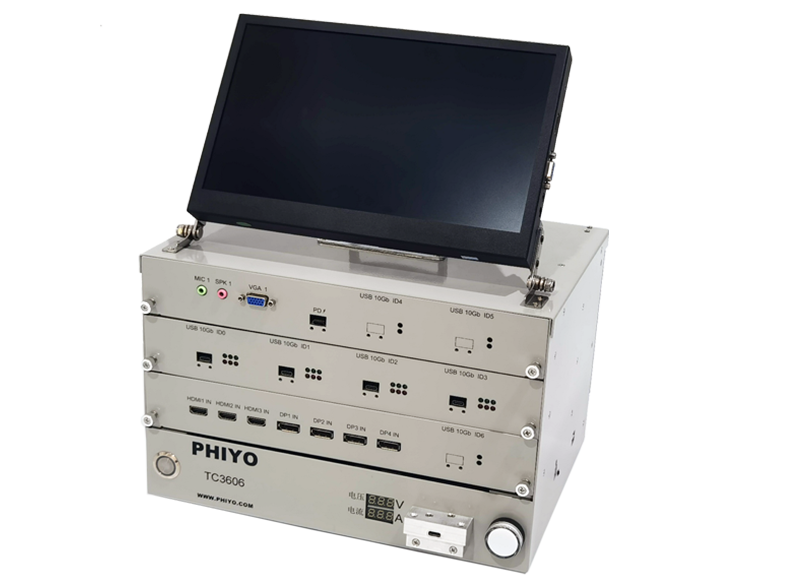
Figure 2 (illustration of test box) |
Test instructions for tested interface (open&short):
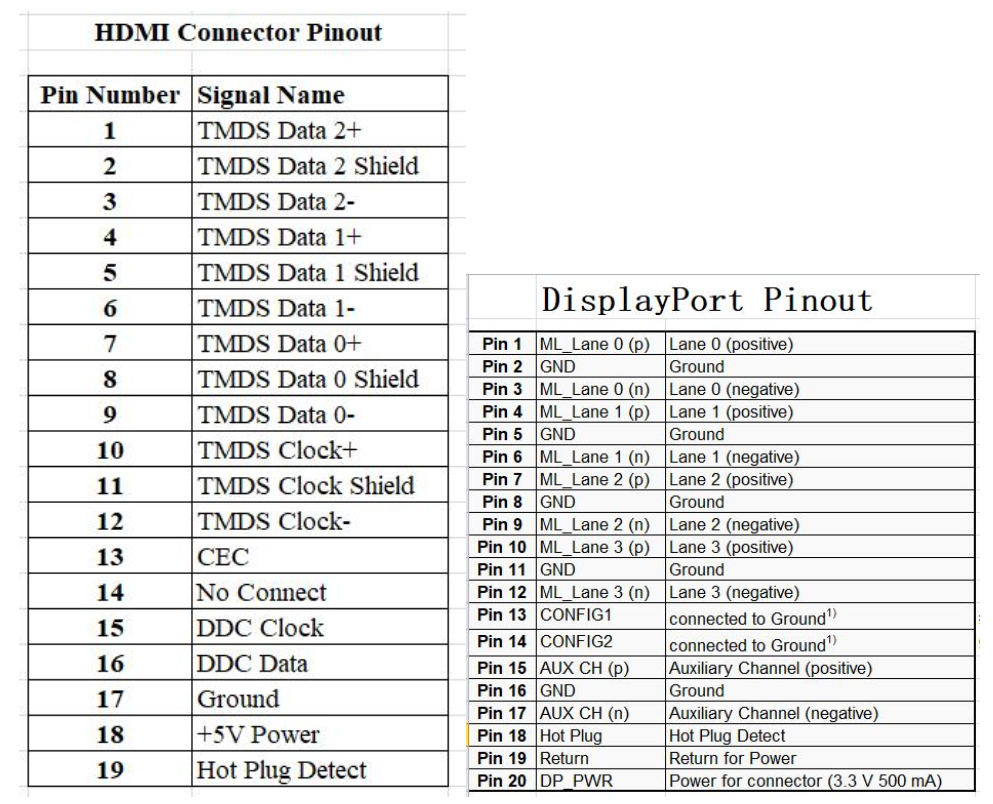
The test box is built-in high-speed MUX IC and A/D sampling circuit design. When the test box will switch the high-speed differential line of HDMI and DP to the AD sampling circuit through the main control IC to determine whether there is an open circuit in the current interface or the signal pin adjacent to the GND or the differential line (P/N). As shown above, for the pinout definition of HDMI and DP, the level of the difference line P/N of normal HDMI is different: |
|
EX: Short-circuit test for HDMI is described as follows:
TMDS 1 _ P = 333 mv, TMDS 1 _ N = 243 mv, we determine whether the current link is short circuit by judging the difference between P/N, if the level of the two signal lines after short circuit, so the difference should be 0 or close to 0, then determined fail, if the short circuit with GND sampling level will be 0, then determined fail;
EX: The open circuit test for the HDMI is described as follows:
In the normal test, the HDMI interface has the initial bias voltage, for example, the normal acquisition level of TMDS 1 _ P is 333 mv. If the signal line is open, the acquisition bias is the original configuration level for our AD sampling. In the following configuration, HDMIOpenVoltP = 840 mv in the software configuration, that is to say, if the signal line of the measured port P/N is P+/-20, within this range, the signal line of the measured port is open, and our test software will report fail.
Test item
Test Item | Support | Test Item | Support |
VGA Video R,G,B Signal | V | VGA Vertical Sync Signal | V |
VGA Horizontal Sync Signal | V | HDMI TMDS Signal | V |
HDMI TMDS CLK Signal | V | HDMI 2K/4K Resolution | V |
DP 2K/4K Resolution | V | DP 4Lane Signal | V |
DP Hot Plug Open | V | DP Lane _0~3 Signal | V |
DP Audio Signal | V | HDMI&DP Data Channel Short | V |
HDMI Power(5V)Test | V | DP Power(3.3V)Test | V |
The network test Way 1: Test whether gigabit protocol is normal, DHCP functional and MAC address OK in full-duplex mode Way 2: Test whether gigabit throughput is normal (using a computer as a server), DHCP function is normal, and MAC address is OK | TF/SD test The test principle: Send a fixed-size packet and then calculate the size card read and write speed | PD test Support PD3.1 specification, can communicate with the equipment to be tested, obtain the correct uplink charging voltage and current, provide the pull load terminal, and have the voltage and current monitoring circuit, and can display the voltage and current through the external digital tube. With the electronic load instrument, the operation test software can set different load currents (5V, 9V, 12V, 15V, 20V,28V), and automatically judge the quality of PD function. With our self-made transfer board can achieve CC end, double-sided function switching test. PS: The default is the no-load test, which can access the electronic load through the chassis right 4 PIN pin to achieve the effect of fixed load test |
testing environment
After the signal source is started, connect the interface to be tested to the signal source test module, then connect the Type-C interface to the signal source Type-C test interface, and then open the test software
HubDockingTester.
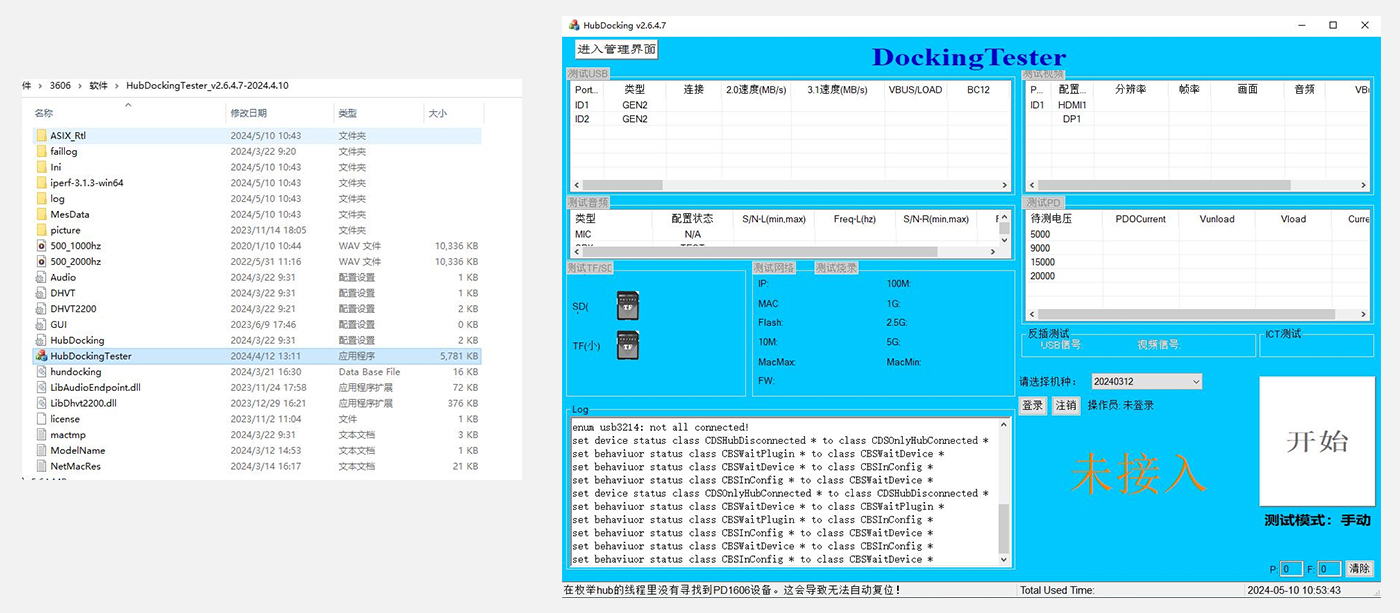
Configure the test program and test it
(1)Open the setting interface
Open the HubDockingTester (Test program), and the following figure is the main interface
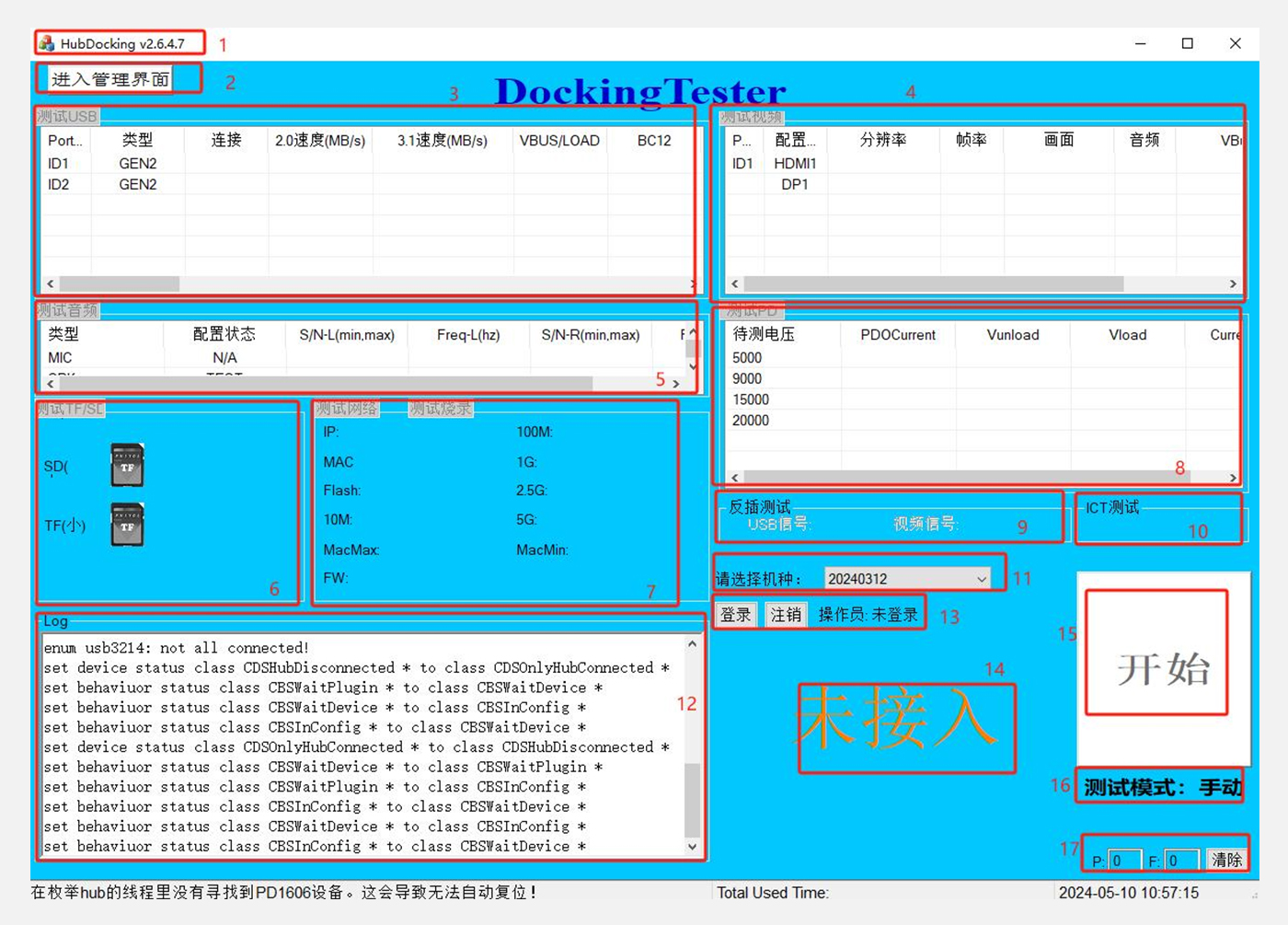
1. Title bar: Show the current program Ver: XXX | 2. Enter the management interface: used to edit the test item parameters |
3. Test USB: Test USB and display the test results | 4. Test video: Test video, showing the test results |
5. Test audio: test audio, display the test results | 6. Test TF/SD: Test TF/SD, and show the test results |
7. Test the network: test the network, and display the test results | 8. Test PD: Test PD, showing the test results |
9. Two-sided test: test the two sides of Type-C to show the test results | 10. ICT Test: Test the Type-C interface to open&short circuit and show the test results |
11. Please select the machine type: select the test machine type from the configured machine type parameters | 12. Log: Display of the test process and the data results |
13. Login and logout: operator account login and logout | 14. Test status display (waiting for device access; Pass: Test OK; Mail: Test failed; No access: Product not connected) |
15. Start the test button | 16. Test mode shows: there are two modes: automatic and manual modes |
17. PASS, FAIL test number display, clear can delete data reccount |
(2) Edit (as shown below)
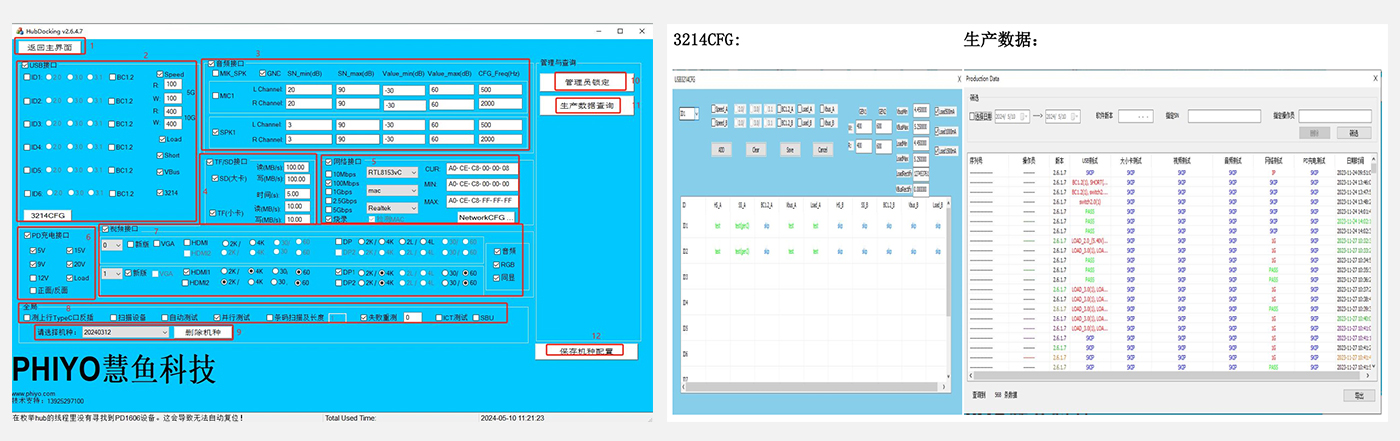
1. Return to the main interface: return to the test interface
2.USB interface: select test USB (this mode is applied to A 5G test equipment), you can configure 2.0,3.0 test, select to open VBUS, LOAD, Open&Short test items, and Speed can configure the read and write down limit of 5G
3214 CFG: 10G test module (this mode is applied to 10G test equipment), can be configured with 2.0,3.0,3.2, VBUS, LOAD, BC1.2, and double-sided test (double-sided test is applied to C port and equipped with customized Type-C wire provided by our company)
GEN 1 and GEN 2 and lower limit of VBUS and LOAD can be configured, select LOAD test current
ADD: Add test item; Clear: Delete test item; Save: Save test settings; Cancel: Exit
3. Audio interface: select test audio, can configure audio grounding test, left and right sound channel detection, MIC, SPK test, can set the upper and lower limits of SN, frequency range
4. TF/SD: Test TF/SD, and set the test lower limit and test time respectively
5. Network test: select the network card model, test 10M,100M,1G,2.5G, 5G network speed, and can test and burn the MAC address
6. PD: Select test PD charging function, pull load test, double-sided function switching test
7. Video interface: The first group of tests is video test module 1, which can be selected to test VGA, DP, HDMI, and configured with 2K/4K resolution, 30 frame rate
The second group of tests is video test module 2, Select the new version of the test, you can choose the test DP and HDMI, and configure 2K/4K resolution, 30/60 frame rate
On the right are video and audio, RGB and simultaneous test configuration
8. Global: for configuration of Type-C double-sided test, scanning equipment, automatic test, parallel test, barcode scanning, failed retest, ICT test, SBU test
9. Type selection and deletion
10. Set the administrator permission and set the password
11. Production data queries, and can be exported
12. Save machine configuration
Dial code control diagram
Upgrade FW from left to right dial code 1 (need to reset, the voltage and current display as dynamic cycle- - - -, upgrade after successful dial and reset, FW upgrade is completed), dial code 2 is not used, dial code 3,4 correspond to binary high to low, dial code up to 0, dial code down to 1, ID value range of 1~4. (Note: When multiple boards are connected at the same time, the test board equipment number cannot be repeated!) |
|
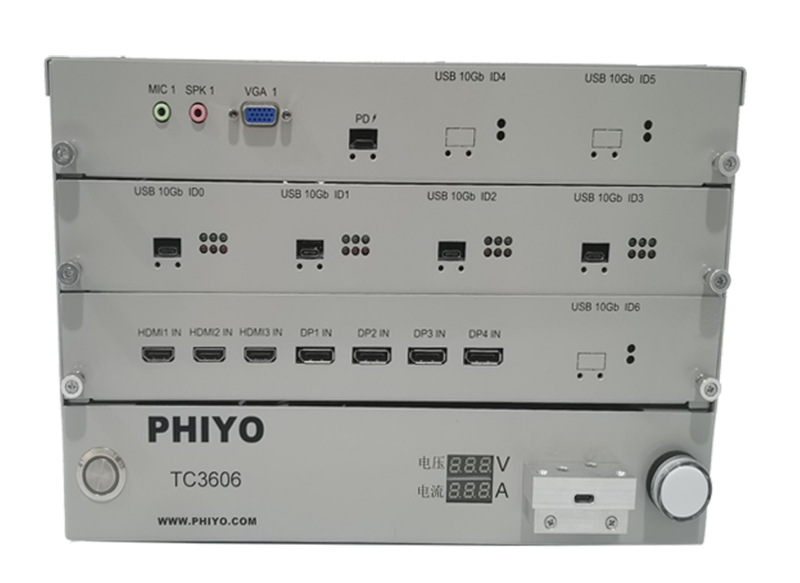
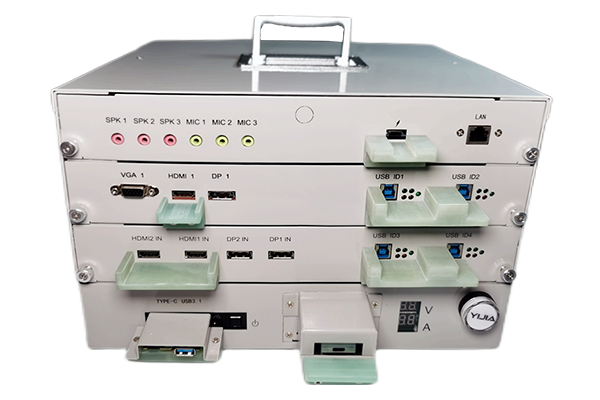
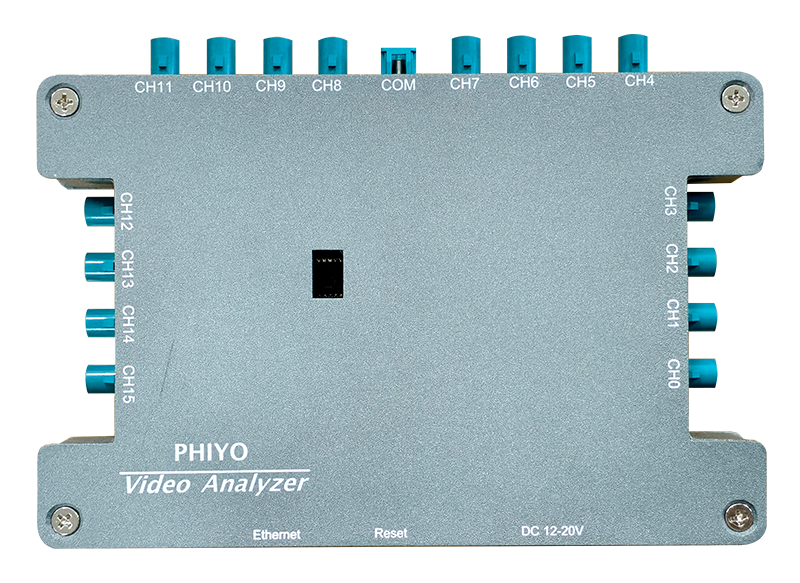
Machine Front View
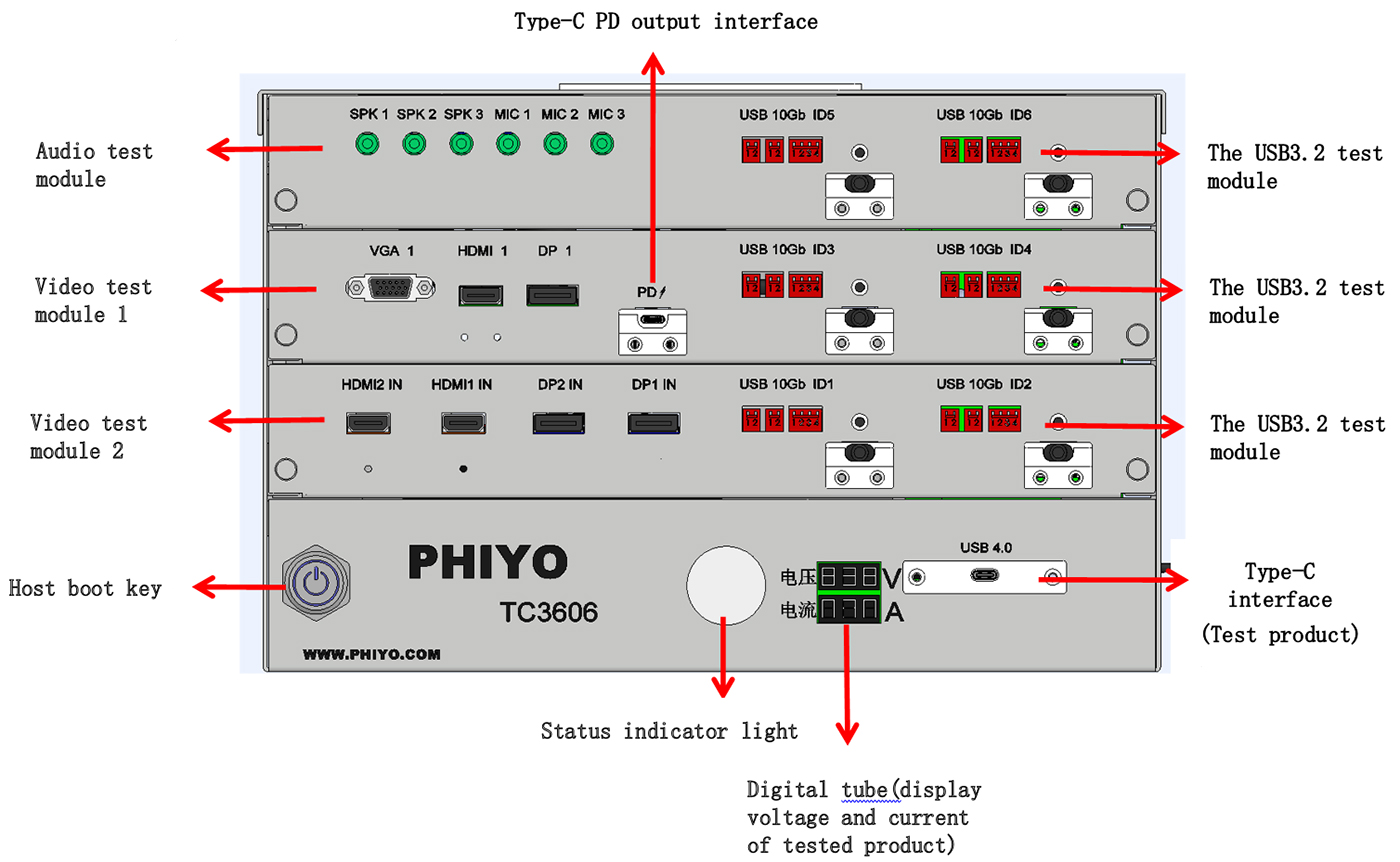
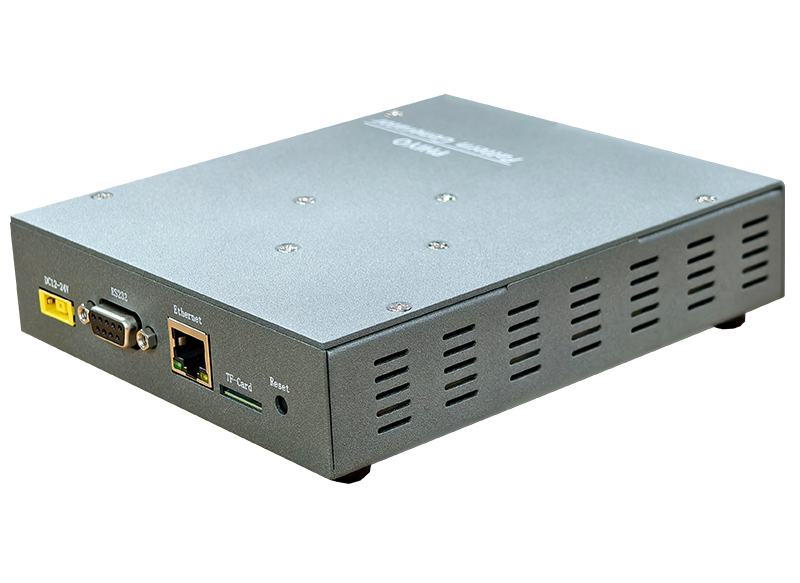
Machine rear view
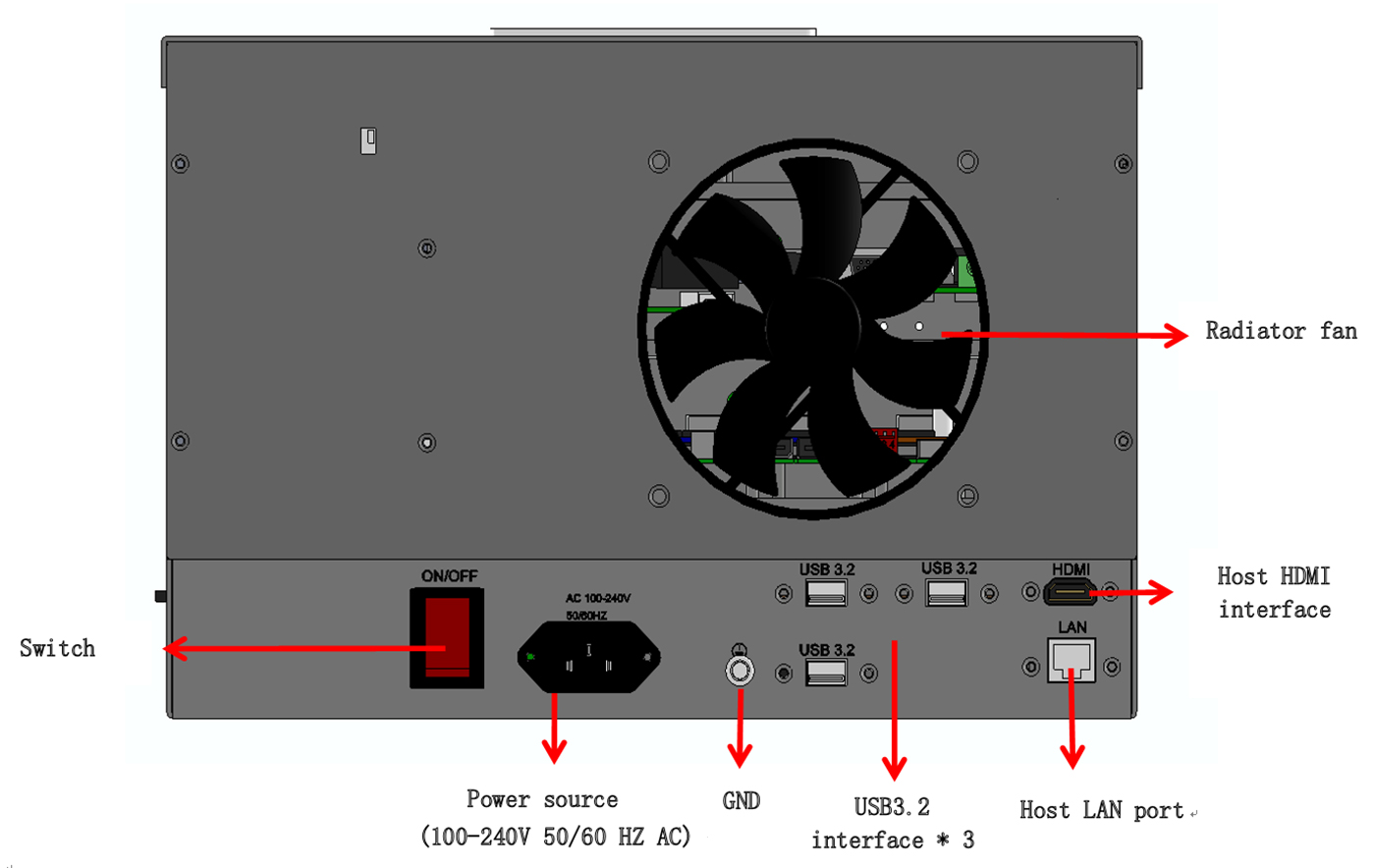
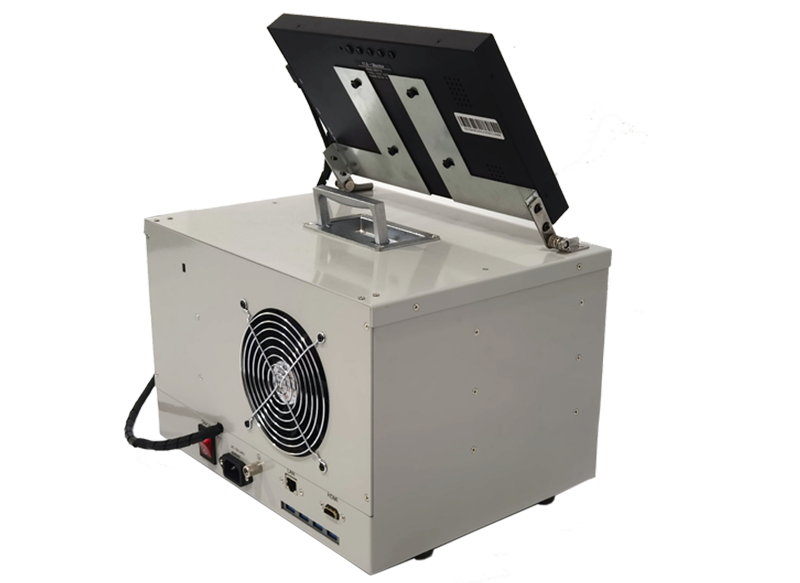
Machine Side View
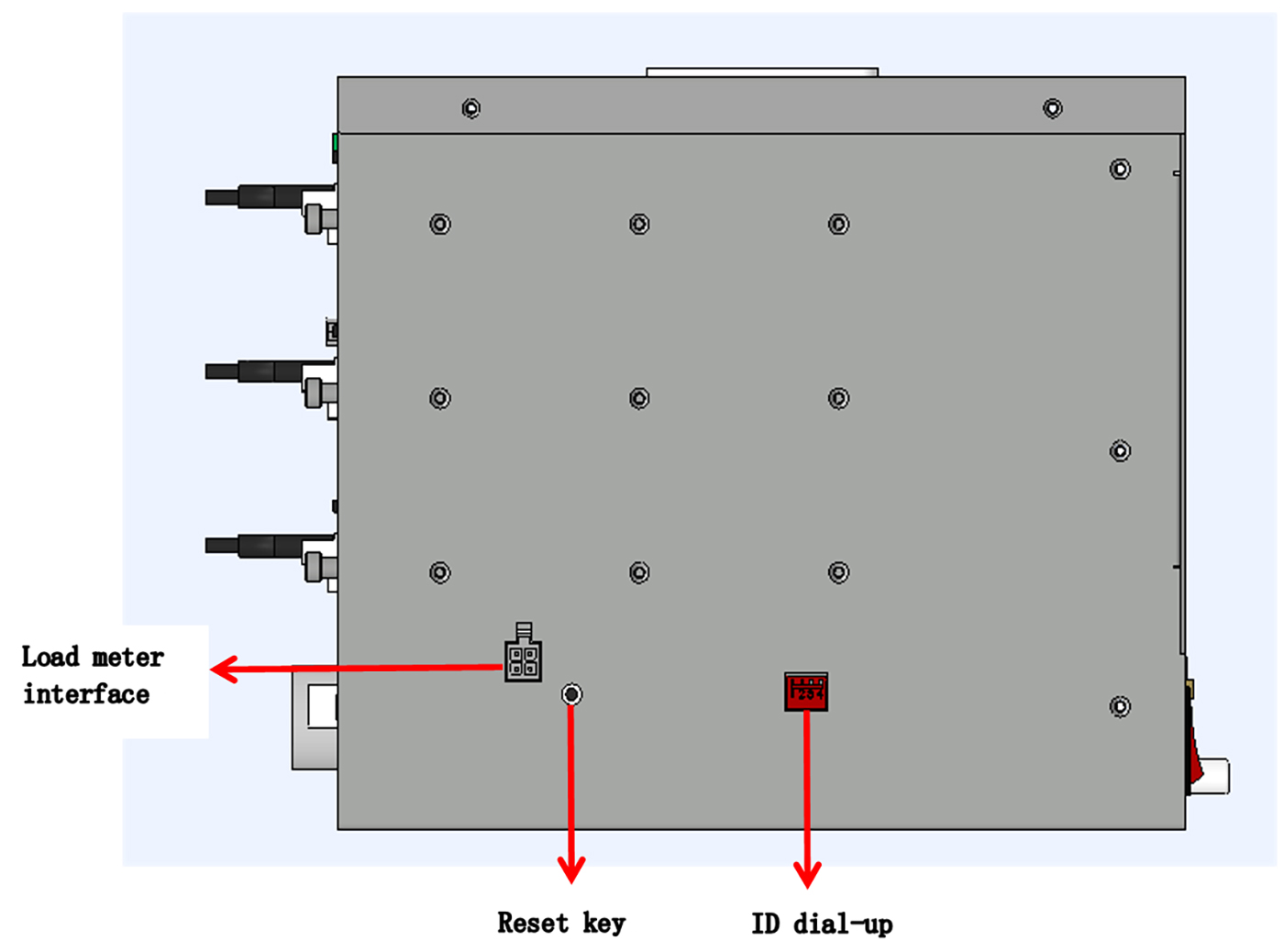
Product name | TC-3606 (Type-C signal source) | |
Hardware specifications | I/O port | USB3.2*3 HDMI*1 LAN*1 USB4*1 |
PD test module | PD3.1(5V,9V,12V,15V,20V,28V) | |
Audio test module | MIC*3,SPK*3 | |
Video test module 1 | DP1.2*1(2K/4K@30HZ) HDMI1.4a*1(2K/4K@30HZ) VGA*1(1920*1080@60HZ) | |
Video test module 2 | DP1.2*2(2K/4K@60HZ) HDMI2.0*2(2K/4K@60HZ) | |
The USB3.2 test module | USB3.2*6 (compatible with 2.0,3.0) | |
Size | 330*255*214mm | |
Weight | 11.06KG | |
Power source | AC:100-220V 50/60HZ | |
Service environment | Operating temperature range | 0℃~45℃ |
Operating humidity range | 20%~85% | |
Storage humidity range | 5%~95% | |
Title | Description |
Version Download |

Q1: Does the test card of this interface test product apply the interface standard protocol? |
Compatible with USB2.0, USB3.2(GEN2), DP protocol, PD protocol and other standard protocols. |
Q2: What is the maximum speed supported by this interface tester? |
Maximum USB USB3.2(GEN2) 10Gbps rate detection. |
Q3: What is the charging power tested by this interface tester? |
It can detect the maximum charging power of 100W. |
Q4: What are the DP display parameters supported by this interface tester? |
Maximum support 4K@60Hz. |
Q5: How to test? Do you directly access the port under test for testing? How are test results displayed? |
Directly connected to the machine under test, the test program is installed in the machine under test, and the work of the tester is controlled through the test program. The test program displays and records the test results. |
Q6: What are the advantages of the interface tester compared with the traditional measurement method? |
Flexible and portable, fast test, accurate judgment, result traceability, low cost and high yield, full automation. |
Q7: Interface tester supports Windows operating system, does it support Linux? |
Compatible with Linux, Chrome, Windows7/8, 8.1/10/11 operating systems, Tongxin UOS. |
Q8: Does the interface tester have test log records? How to output? |
Display test results quickly and accurately, generate detailed test log, can be connected to MES system, traceable record. |
Q9: Is the program setup complicated before starting the test? Is it necessary for your company's professionals to set and debug? |
Graphical interface testing, configuration procedures more simplified, clear, zero base fast configuration quickly start. |
Q10: How long is the hardware guarantee for your interface tester? Does the software need to be updated regularly? Do I have to pay for the software upgrade? |
The hardware is usually guaranteed for one year. There is no need to upgrade software when the machine type is compatible and the test is stable. Our customers enjoy the VIP rights of lifelong free software upgrade. |
Q11: Can you cooperate with automation companies to implement port automated testing? |
Our tester has cooperated with a number of automation companies, to achieve factory end I/O interface automated testing, testing stability. |
Q12: Does Type-C interface need to be manually switched between front and back when PHIYO Technology interface tester is used? |
No manual switch, support automatic switch back and forth test, single insertion, sequence detection of all functions on both sides. |
Q13: What is the testing principle of your company's interface tester? |
The test program issues the command, the tester negotiates through the interface under test, the internal chip analyzes and outputs the result on the upper computer software. |
Q14: Is the wire supporting your company's interface tester consumable? Can you replace it with a universal wire? |
Due to the test box supporting wire plug and pull, there is a certain service life. The wire supporting the test box is specially customized by our company, which is convenient to cooperate with the test. It is not recommended to use other wires. |










 >
>