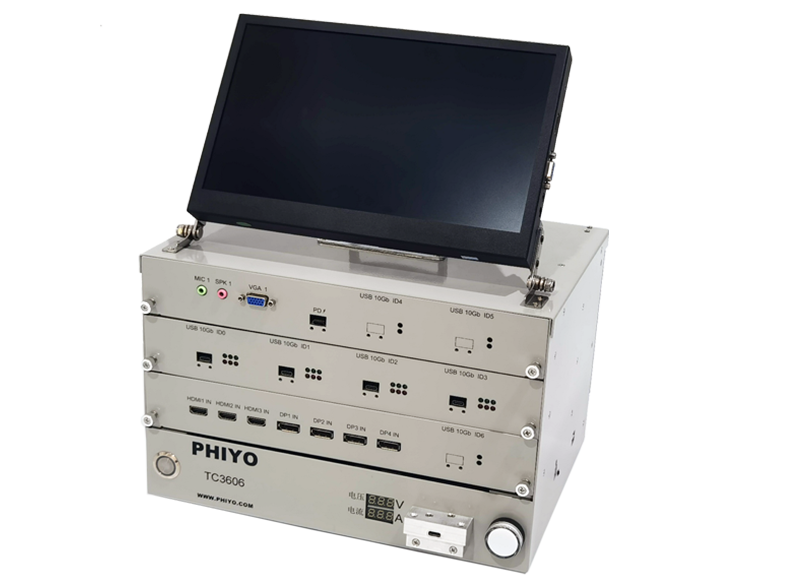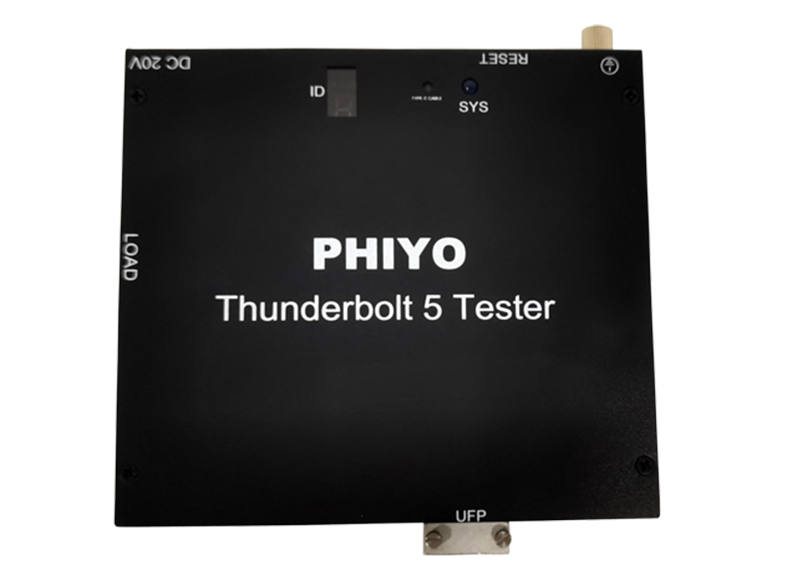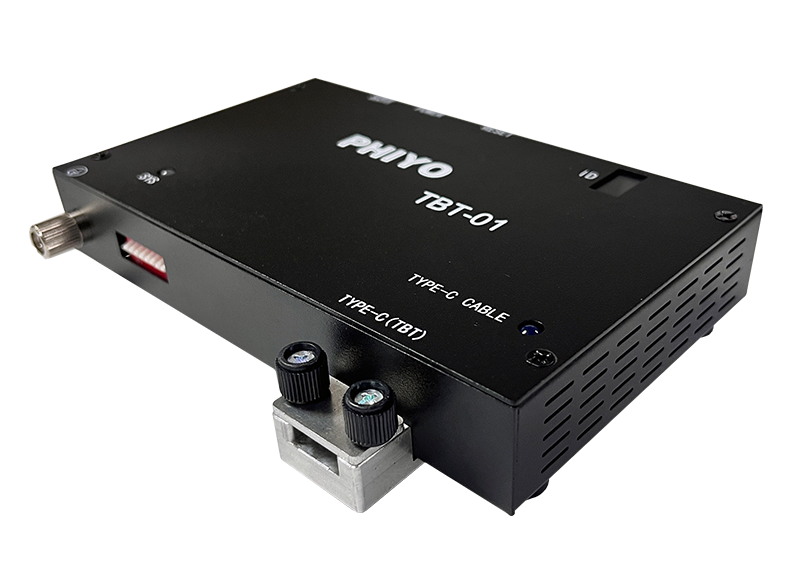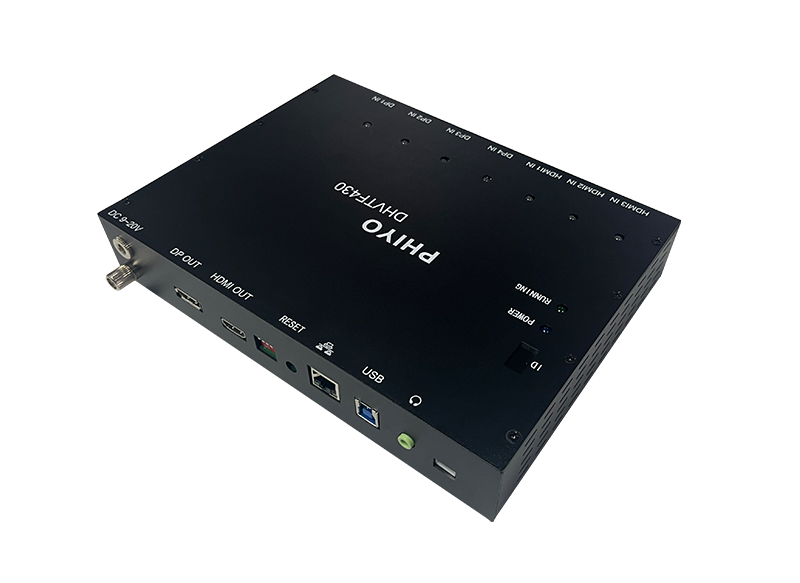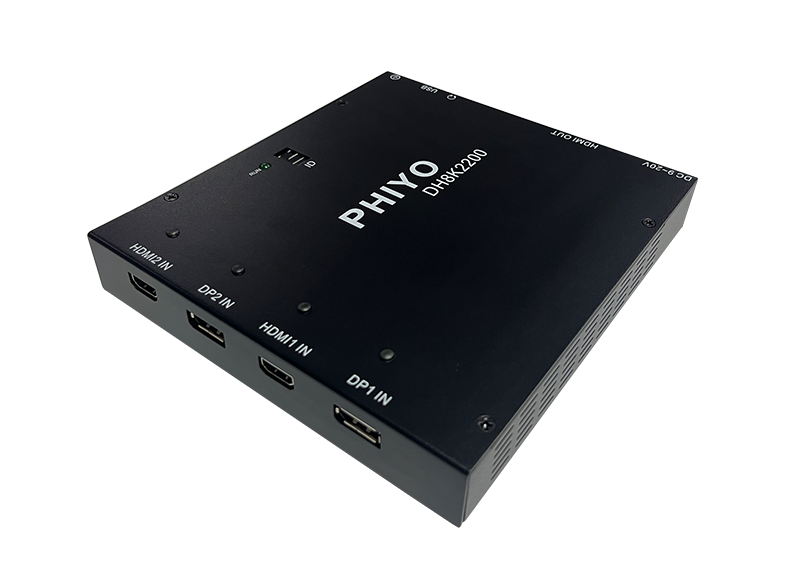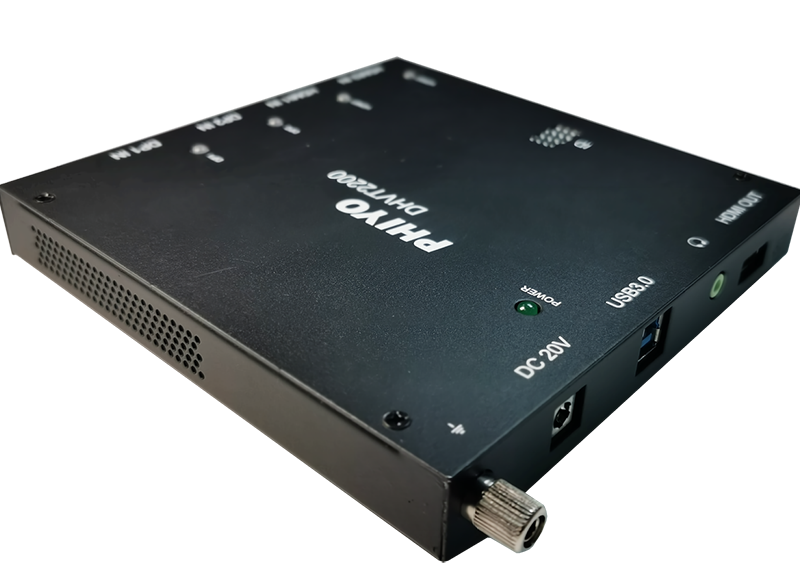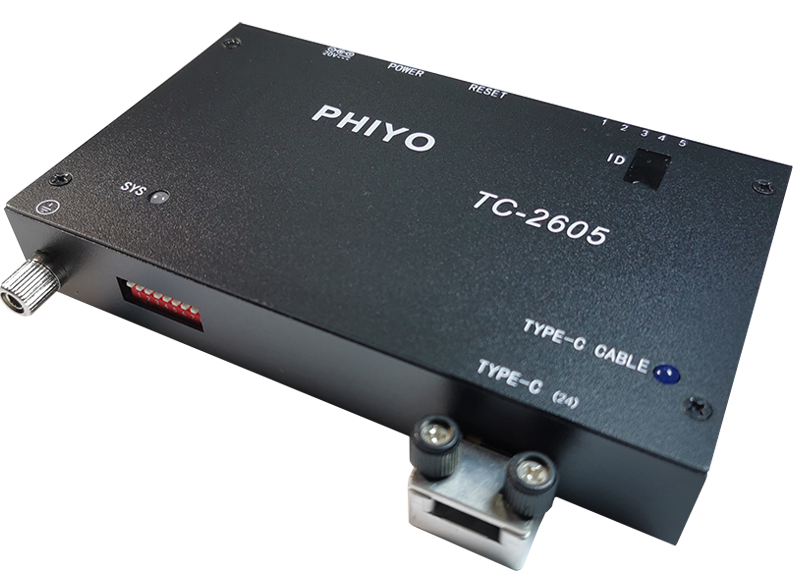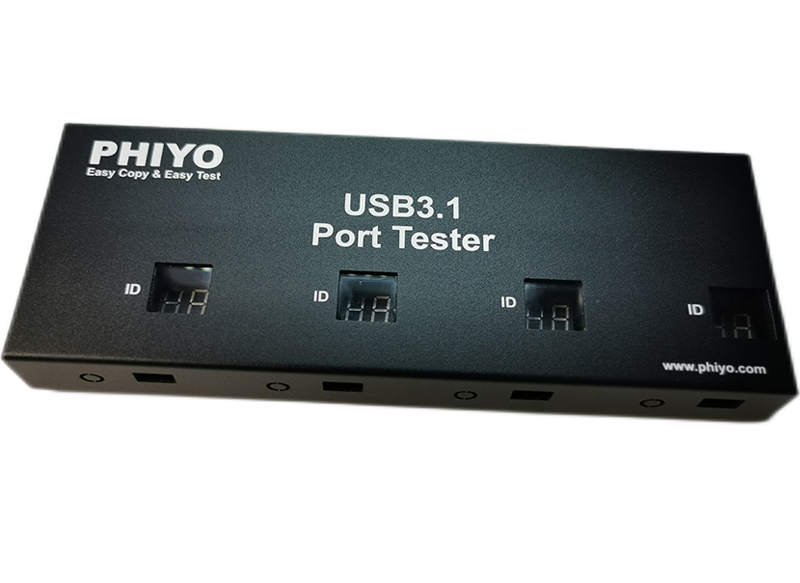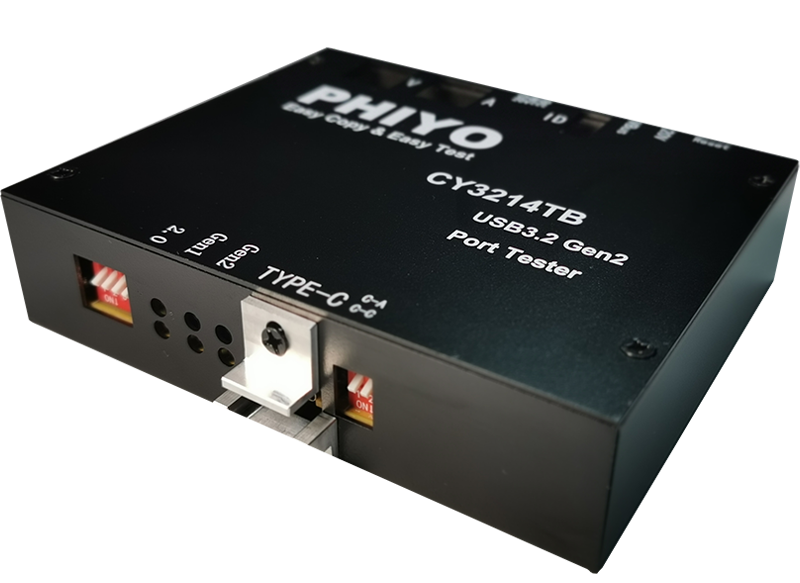
Product introduction
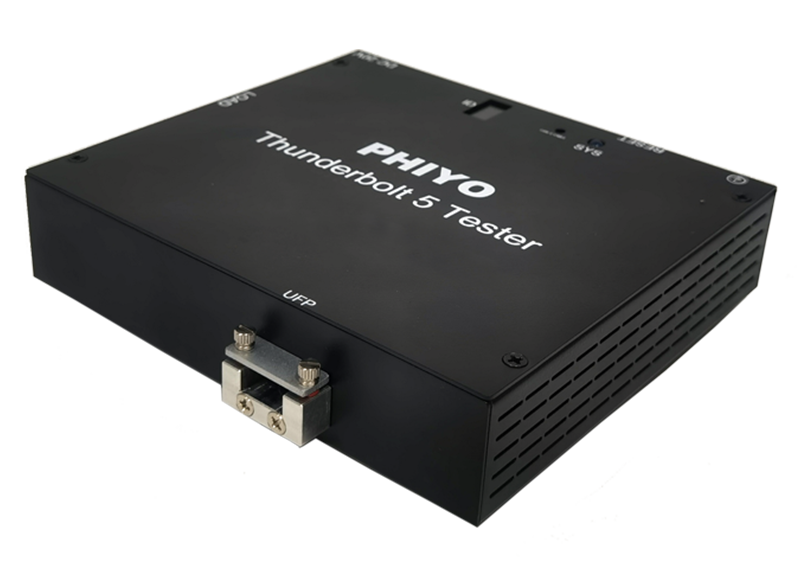
Functional overview:TBT-03 is an integrated testing solution for Type-C (USB4 & Thunderbolt 5/4/3, PD, DP, USB) interfaces, independently developed and designed by PHIYO. This advanced platform supports comprehensive validation of high-speed data transmission and power delivery protocols. Application Area: Apply to all kinds of mainboard with Type-C port, all kinds of Type-C interface docking product function testing。 Protocol specification: USB 2.0&3.2(Gen1,Gen2)、USB4V2&Thunderbolt5(80Gbps) Thunderbolt /4/3(40Gbps)、DP1.4、DP2.1、PD3.0、PD3.1。 | 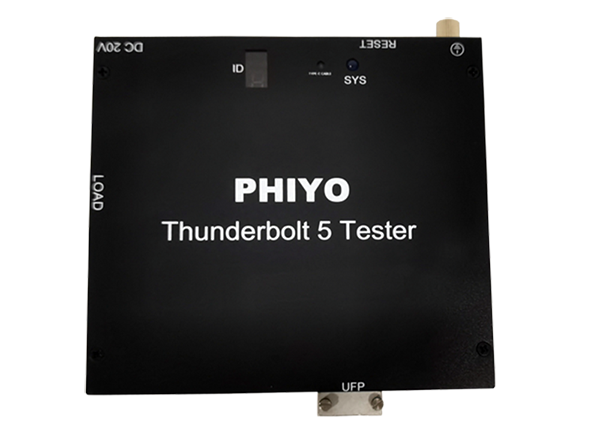 |
Test principle of product
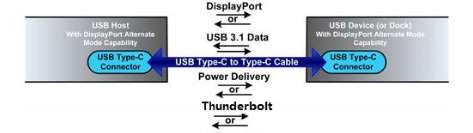
Test principle of product: As Figure (1-1) show, USB Type-C adds Display Port (DP) and Power Delivery (PD) feature, also including Thunderbolt, in addition to USB 3.2 basic data transmission function. It can serve as USB Host, USB-PD Power consumer, and DP video source, and link Thunderbolt device.TBT-03 tester embedded the DP adapter chip and USB-PD 3.1 controller chip, thunderbolt (80Gbps) adapter chip, can support DP 2.1 and PD 3.1 protocol specification and Thunderbolt transmission. The tester can covers basic USB function testing, DP video resolution and audio detection, PD charging and plug orientation twist detection, so as to fully implement USB Type-C function testing. |
Figure(1-1) |
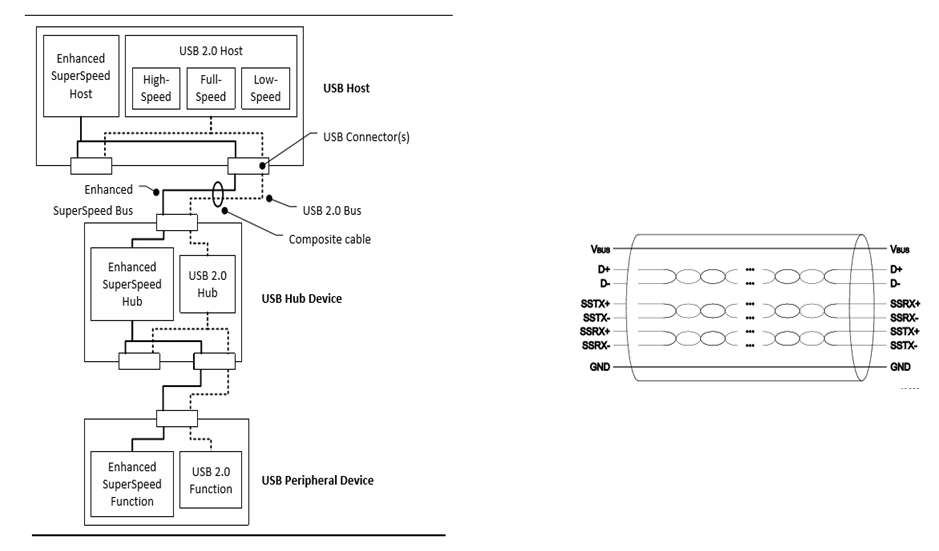
The USB 3.2 system architecture Figure (1-2) is comprised of two simultaneously active buses: a USB 2.0 bus and an Enhanced SuperSpeed bus. The Enhanced SuperSpeed bus has similar architectural components to USB 2.0. The Enhanced SS channel and Non - SS channel is relatively independent, the tester is in need of Enhanced SS channel and Non - SS channel test respectively. |
Figure(1-2) |
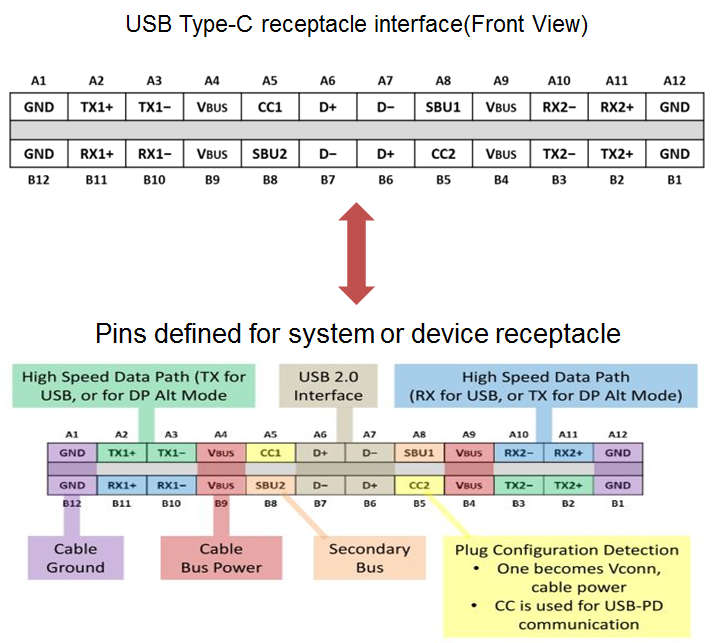
USB Type-C host defines A&B dual - channel signaling links. Figure (1-3) illustrates the comprehensive functional signal plan for the USB Type-C receptacle, not all signals shown are required in all platforms or devices. As shown, the receptacle signal list functionally delivers both USB 2.0 (D+ and D−) and USB 3.2 (TX and RX pairs) data buses, USB power (VBUS) and ground (GND), Configuration Channel signals (CC1 and CC2), and two Sideband Use (SBU) signal pins. Multiple sets of USB data bus signal locations in this layout facilitate being able to functionally map the USB signals independent of plug orientation in the receptacle. TBT-03 tester based on USB Type-C spec, implement USB auto-detection and can have up to four lanes, 4K&8K resolution detection, all of which are available to Alternate Mode by embedded the DP switch adapter on the tester board. Also with USB-PD 3.1 controller, it should be possible to USB power delivery, thus taking advantage of a high-quality main power supply. For Thunderbolt function, Design high bandwidth Controller, can check the R/W speed through link Nvme SSD. TBT-03 has been designed with A/D sample circuit for the four pairs of differential signal lines on the TYPE-C interface, that to measure the voltage levels on the differential lines. That can catch the abnormal solder through compare the voltage data of differential signal P/N. |
Figure(1-3) |
Product Features
• Supports Windows 7/8/8.1/10/11, Linux, macOS and Chrome operating systems. | • Compatible with USB 2.0 and 3.2 (Gen1, Gen2) protocol standards; it professionally tests the functionality of USB4V2 and Thunderbolt 5/4/3 interfaces, and supports speed testing for Thunderbolt and USB4.0 (40Gbps & 80Gbps). |
• Supports the DP2.1 protocol standard, capable of detecting the DP function of Type-C interfaces. It supports DP signal detection for 2K/4K/8K resolutions and 30/60Hz frame rates, with a maximum support for 8K@60Hz testing. | • Supports PD 3.0/3.1 protocol standards, capable of detecting power transmission of Type-C interfaces in PD mode, and supports charging capability testing for 5V/9V/12V/15V/20V/28V at 3A/5A; maximum support for 48V/5A charging power. |
• Supports USB mode port voltage VBUS detection and load capacity testing, with a maximum support for 5V/3A load testing. | • Automatically detects USB 3.2 and USB 2.0, and is compatible with universal USB 3.2/2.0 Host Controllers. |
• Tests cover port connection, device type enumeration, data transmission speed, current load capacity, DP signal transmission, PD 3.0/3.1 charging, and A/B double-sided switching, etc. | • Product electrical operating characteristics: DC_IN 20V/8A. |
• Supports continuity detection of Type-C interface electrical characteristics (judgment via voltage and current sampling). | • Supports short-circuit & open-circuit testing of high-speed differential signals in Type-C interfaces. |
Windows Software Introduction and Usage Instructions
1.Introduction to Software and Configuration Files:
TBT03Tester.exe—Test main program
TBT03.ini—Test configuration file
GUI.ini—Configuration file for display size and coordinates of the test main program & configuration file
result.txt—Test result log for capturing overall test results
Log—Folder for test log records, including Detail&Debug and test item log information
2. Software Interface and Test Function Introduction:
2.1. Introduction to the Test Main Program:
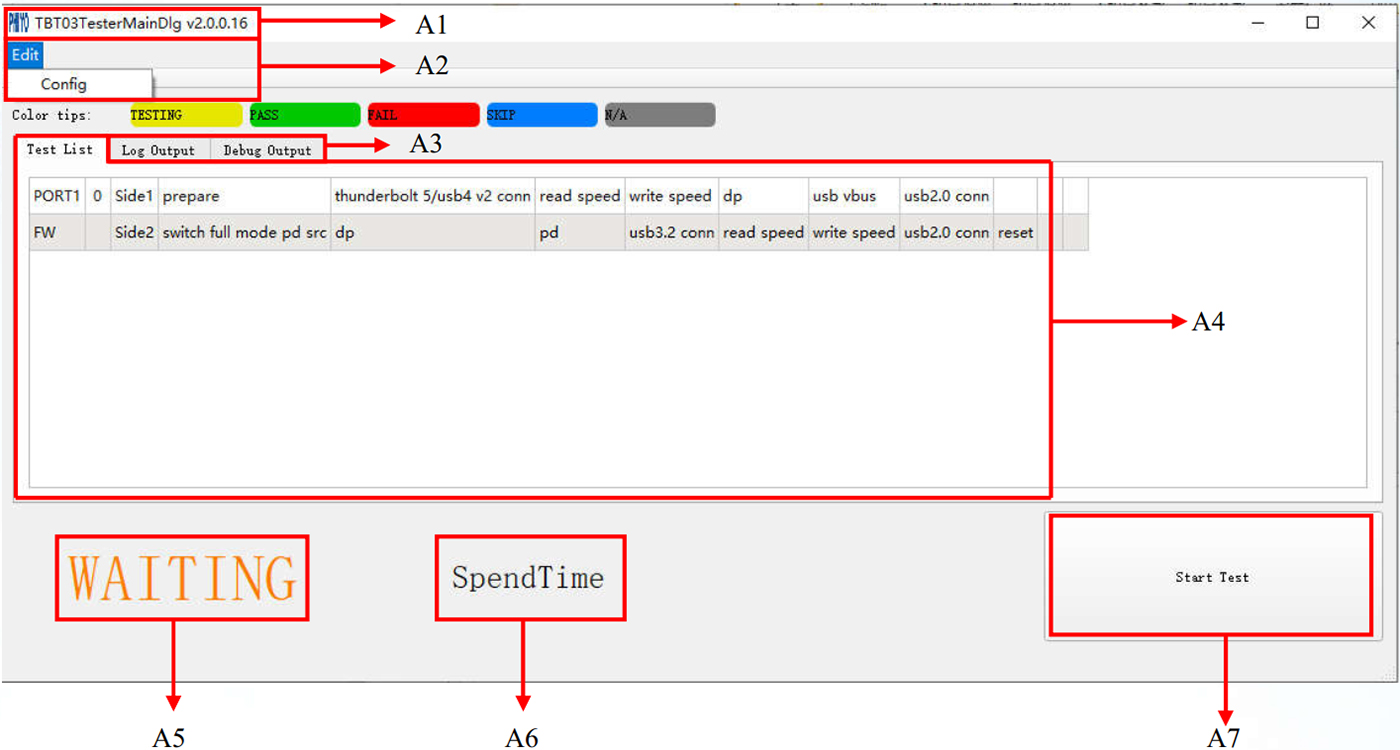
A1—Test program version information | A2—Test program configuration interface setting controls |
A3—Detailed test log output field | A4—Port test process and items |
A5—Test status control | A6—Test time |
A7—Start test control |
2.2 Introduction to the Test Configuration Interface:
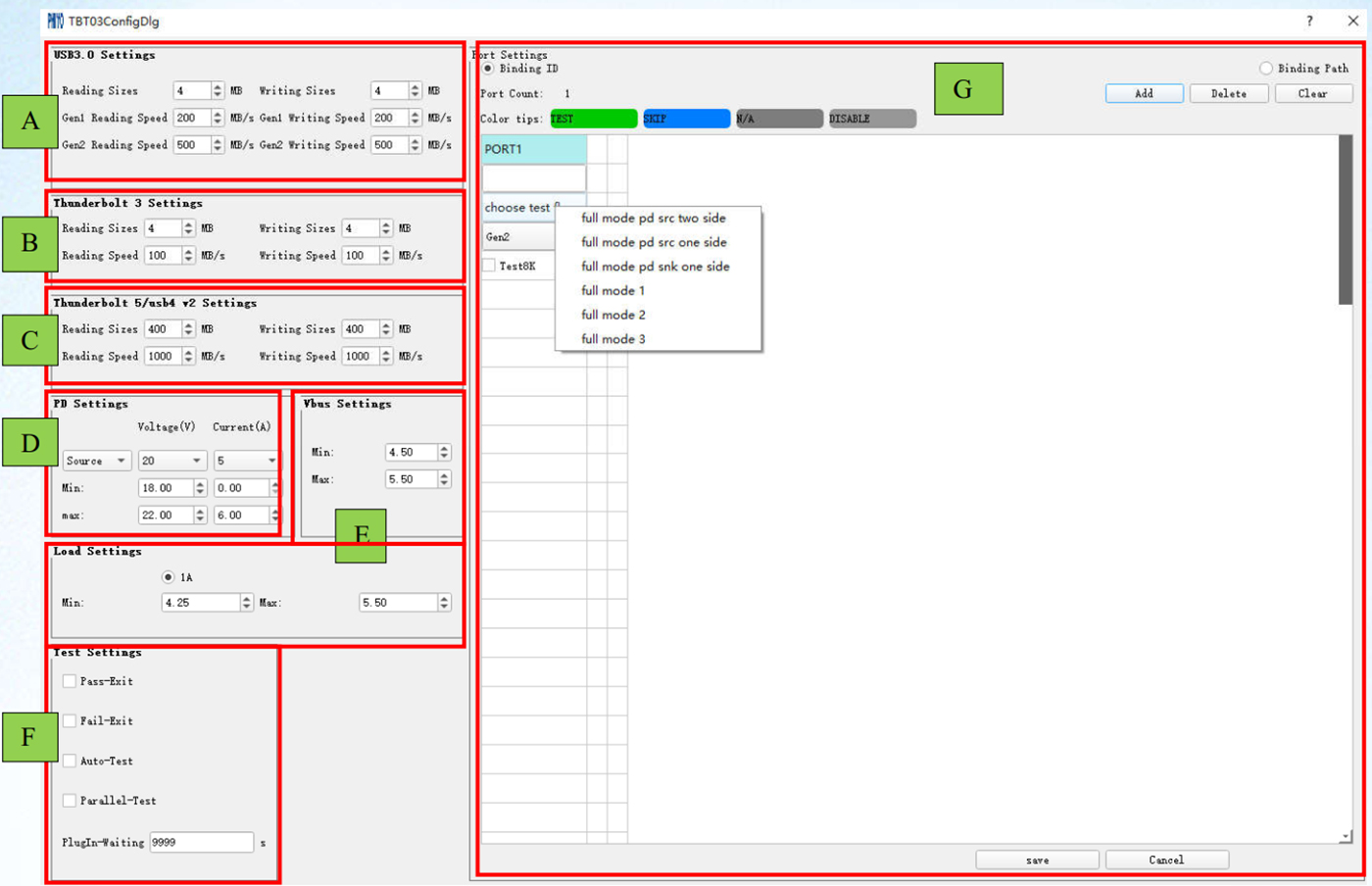
Field A:
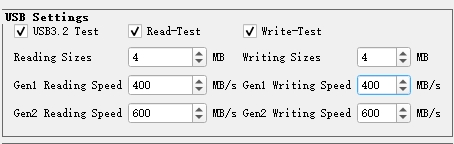
| USB3.2 Test Configuration Field: Controls for enabling/disabling USB3.2 tests, enabling/disabling read and write tests, setting read and write data block sizes (default 4MB each), setting lower limits for Gen1 (5Gbps) read and write speeds, and setting lower limits for Gen2 (10Gbps) read and write speeds. |
Field B:
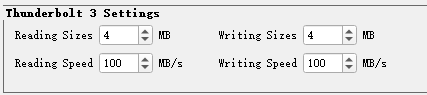
| Thunderbolt 3 Test Configuration Field: Controls for enabling/disabling Thunderbolt tests, enabling/disabling read and write functions, setting read and write data block sizes (default 100MB each), and setting lower limits for Thunderbolt read and write speeds (can be defined based on actual average test values of the device). |
Field C:
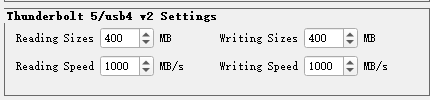
| Thunderbolt5/USB4 v2 Test Configuration Field: Controls for enabling/disabling Thunderbolt5/USB4 v2 tests, enabling/disabling read and write functions, setting read and write data block sizes (default 100MB each), and setting lower limits for Thunderbolt read and write speeds (can be defined based on actual average test values of the device). |
Field D:
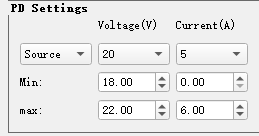
| Definitions of PD test-related items: including controls for enabling/disabling PD voltage and current items, and definitions of PD roles: Source & Sink; PD Source: The tester simulates a PD adapter (or Host) to supply power to the device; PD Sink: The tester simulates a PD transmission device (or Sink); When testing a notebook (NB) TypeC ports, it is usually configured as Source, and voltage and current can be defined according to the PD specifications corresponding to the device's C port. The tester supports a maximum power supply capacity of 48V/5A (240W). The voltage and current of test items are set according to the PDO settings: 48V ± 5% for voltage upper and lower limits, and only the lower limit for current |
Field E:
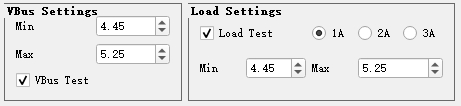
| VBUS and Load Test Settings for USB Mode of TYPE-C Interface,The no-load VBUS setting range follows the USB protocol specification: 4.45V — 5.25V. Load test settings must be confirmed according to the current load specifications supported by the device itself. |
Field F:
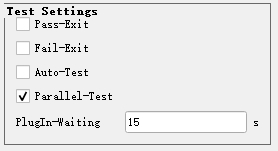
| Software Test-Related Settings: Auto-Test: Automatic test control. When checked, the software will start testing automatically upon opening; PASS—Exit: Control for software exit after test PASS. When checked, the software will exit automatically after passing the test; FAIL—Exit: Control for software exit after test FAIL. When checked, the software will exit automatically after failing the test; Parallel-Test: Parallel test control, adapted for parallel testing in multi-port test mode; PlugIn-Waiting[]: Control for waiting for device connection. The value in the box is the time setting for waiting for device connection (in seconds). In automatic test mode, if the tester is not connected within this time range after the software is opened, the software will report FAIL. |
Field G:
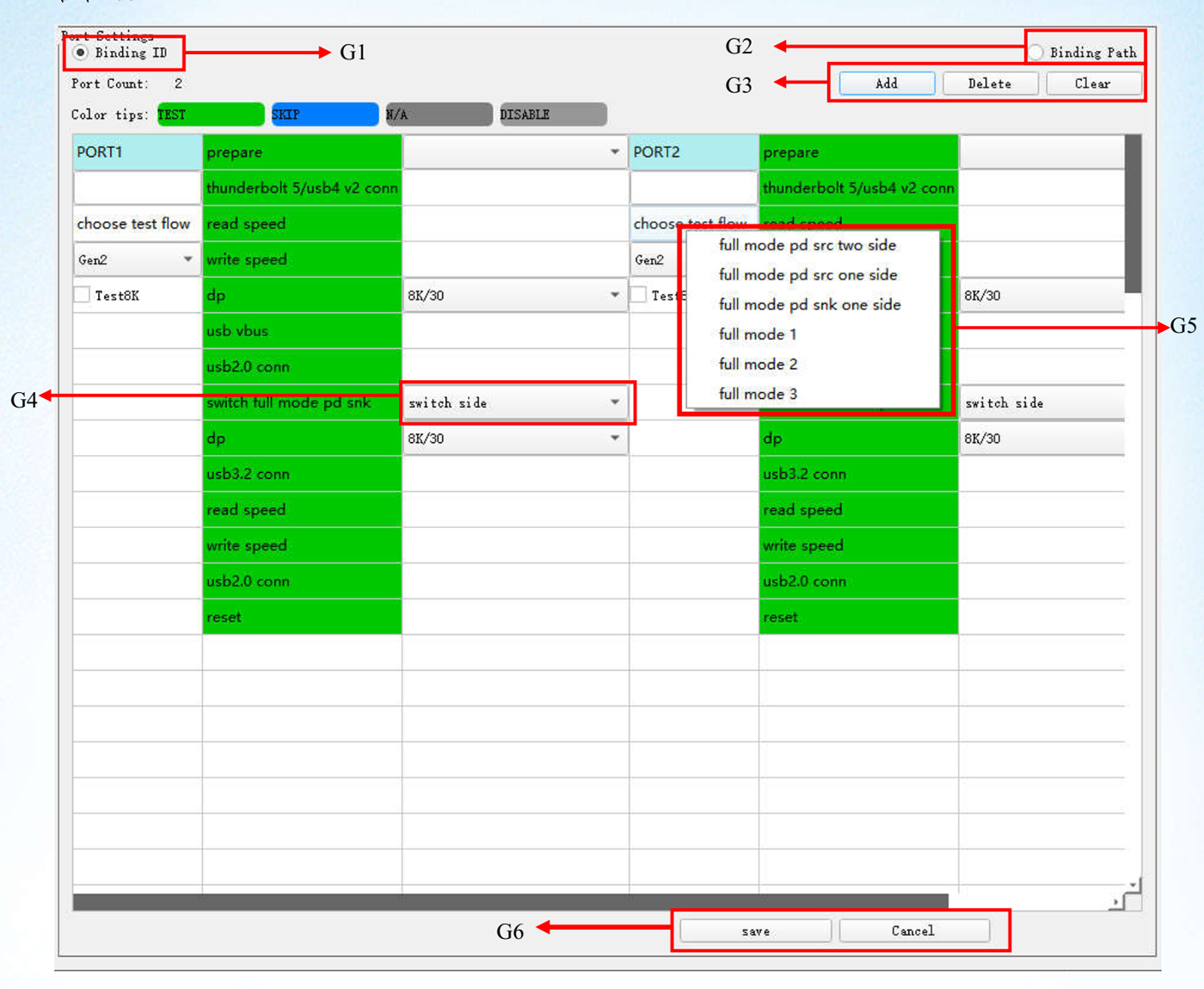
G1 →Bind ID: Binding ID test mode. The software runs according to the tester ID. If the ID set in the software is inconsistent with the ID displayed on the tester, the software
will not start testing;
G2→Bind Path: Binding path test mode. The software runs according to the path information of the C-port USB device. This mode can prevent errors, i.e., in multi-port test mode, it avoids the situation where both ports pass the test when the same port is tested;
G3→ADD, DELETE, CLEAR: Controls for adding, deleting, and clearing test ports;
G4→Switch side: Settings for test side switching. A test process must include a switch side setting to cover both CC (CC1 & CC2) tests;
G5→Test flow selection control: 11 preset test flows;
G6→SAVE: Control for saving the setting interface; Cancel: Cancel test configuration.
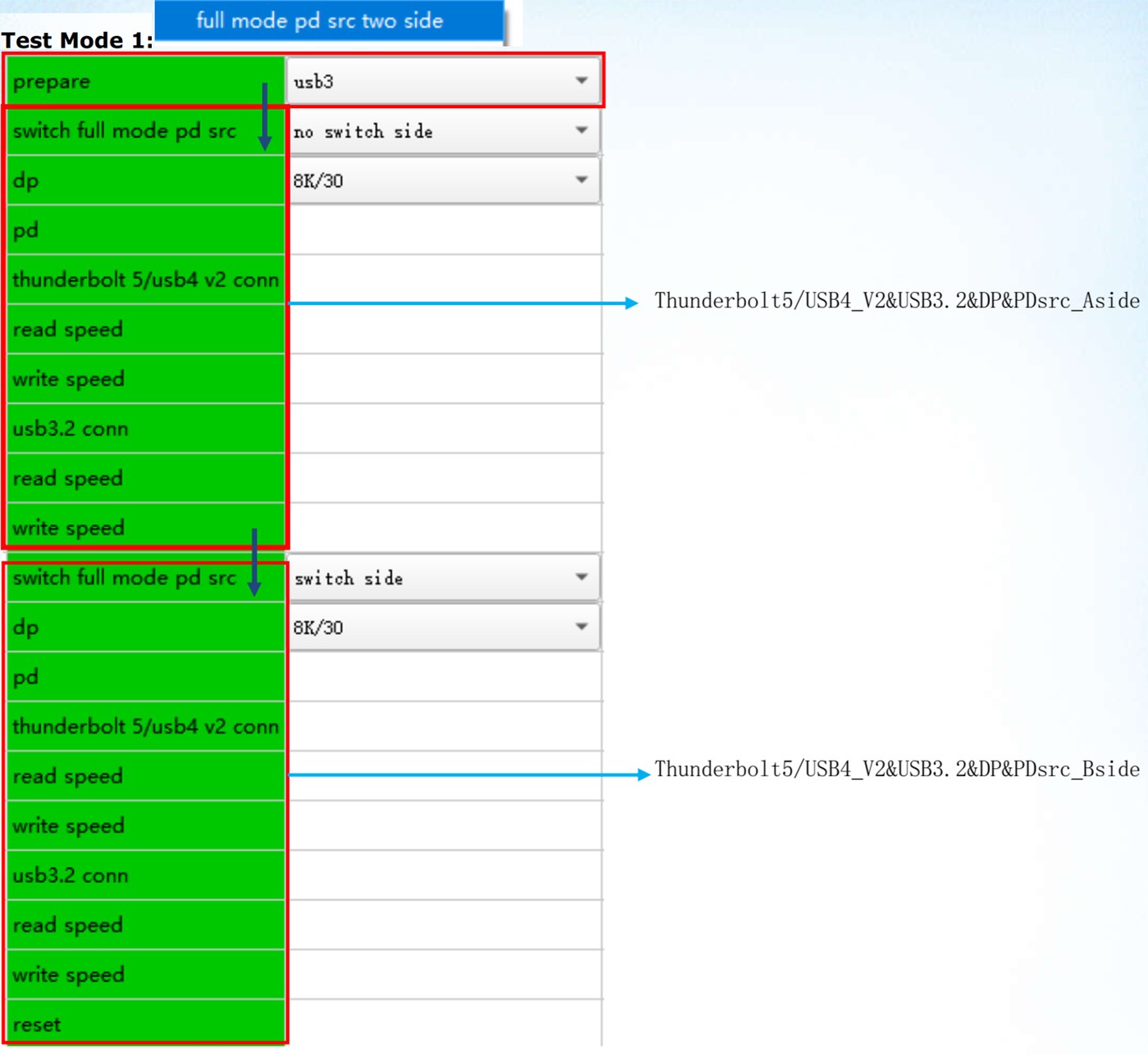
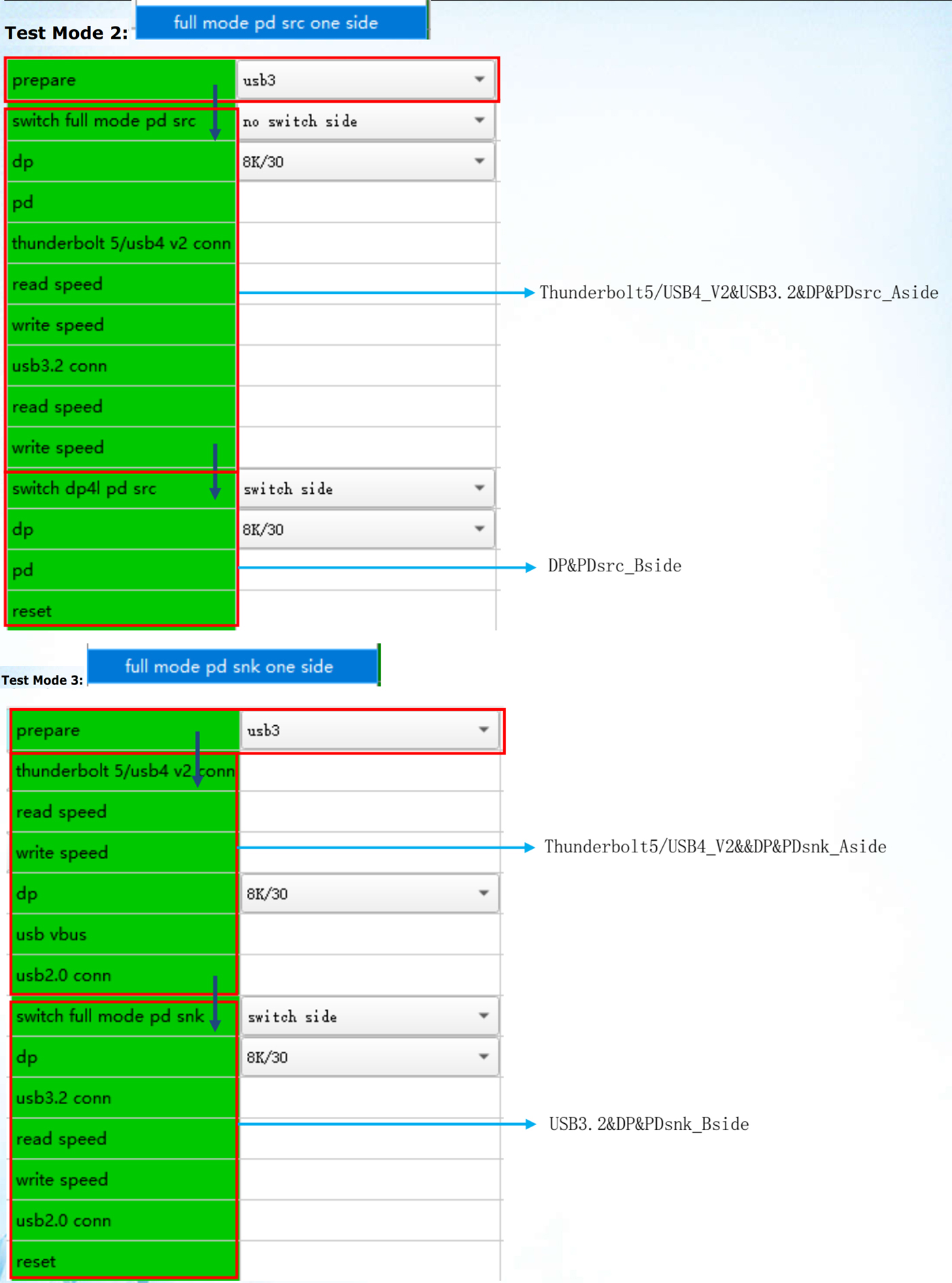
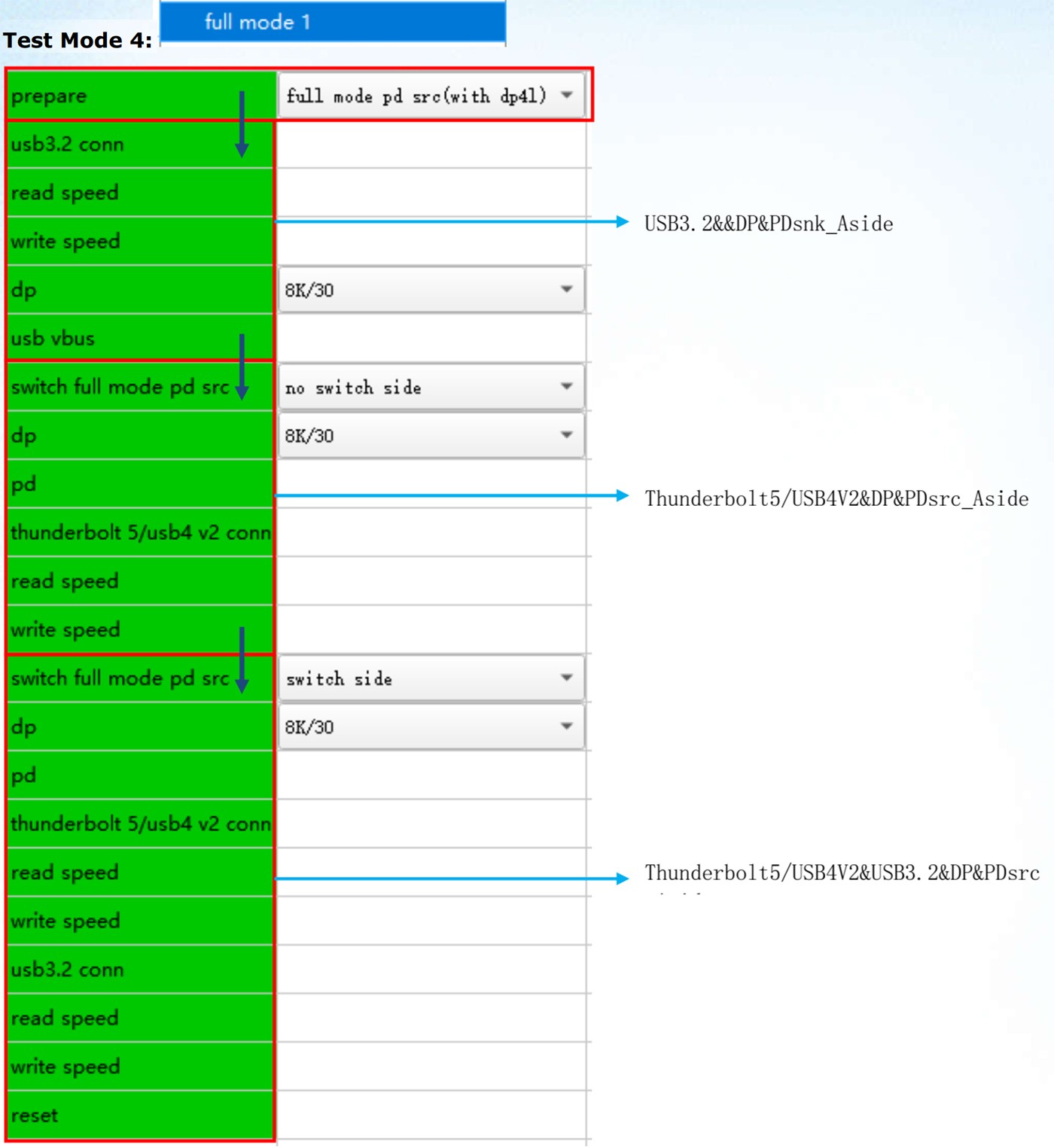
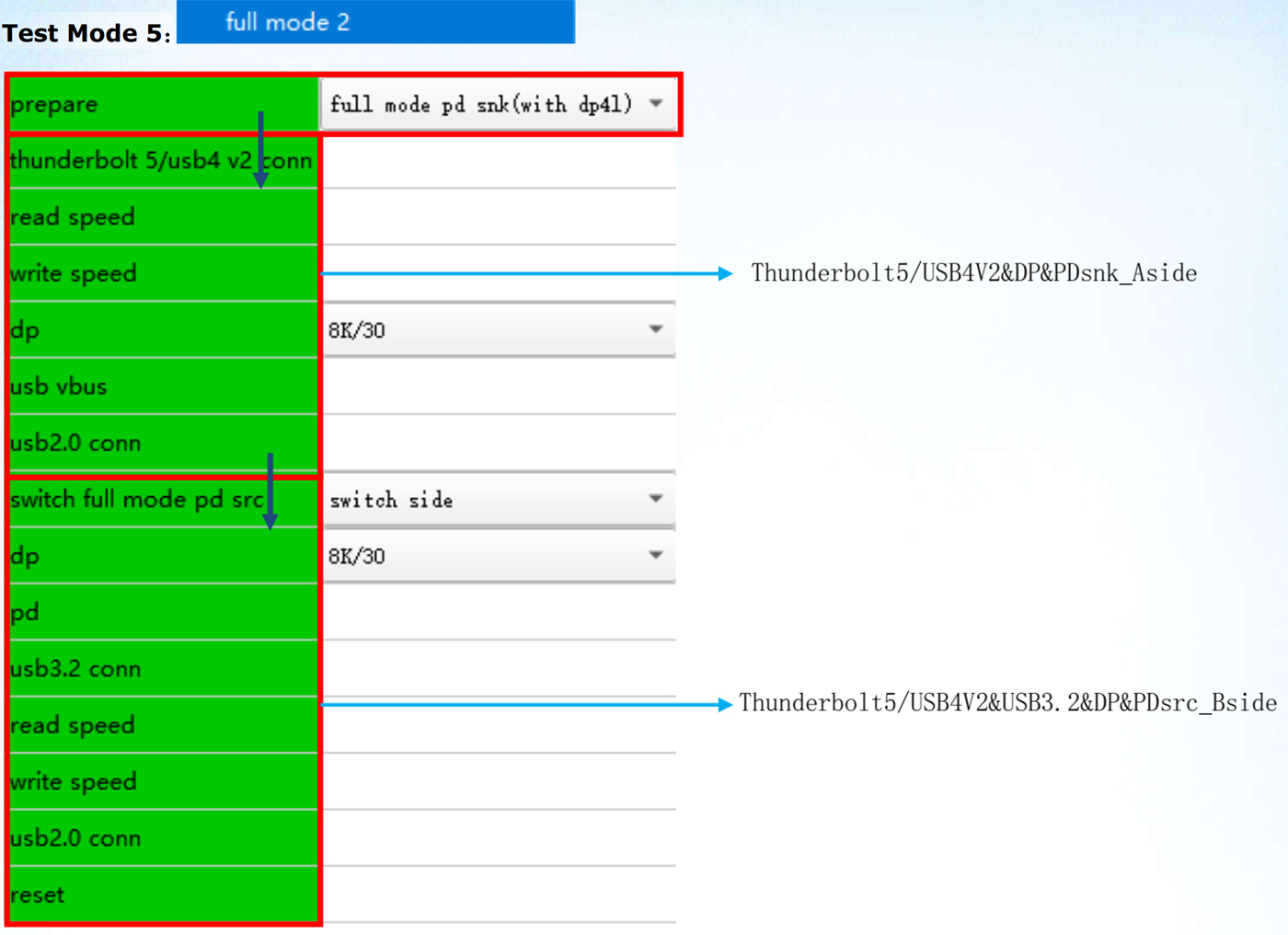
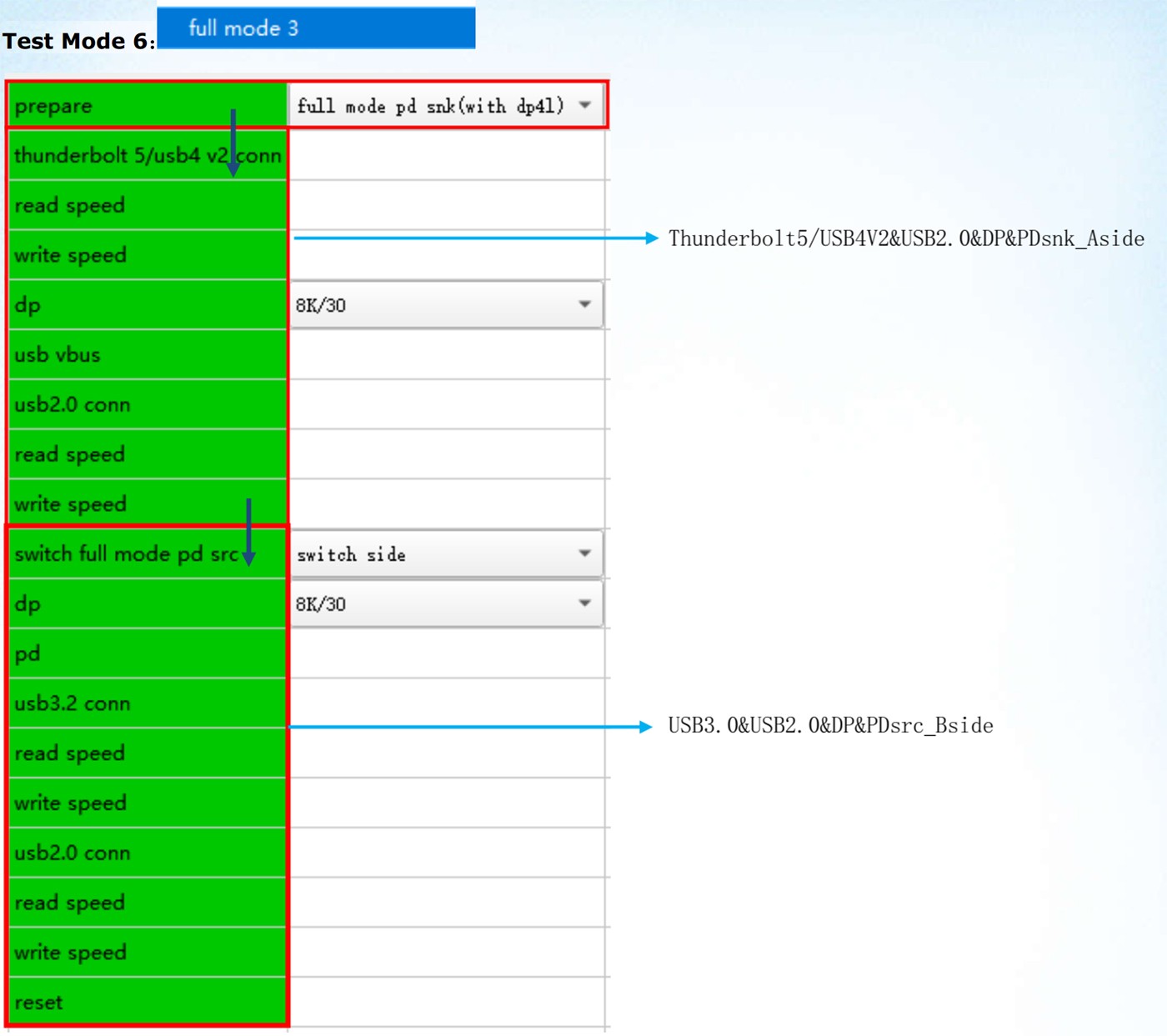
The above are 6 preset test modes of the current test software. The items in the red box are test item settings, the dark blue ↓ indicates the next test process setting, and the subsequent "switch side" means switching to the opposite CC to cover dual CC (CC1 & CC2). The light blue → is the functional description of the test items in the current test module.
The software of this version also supports custom test item processes. Note that the entire test process must include a switch side setting.
Mac OS Software Introduction and Usage Instructions:
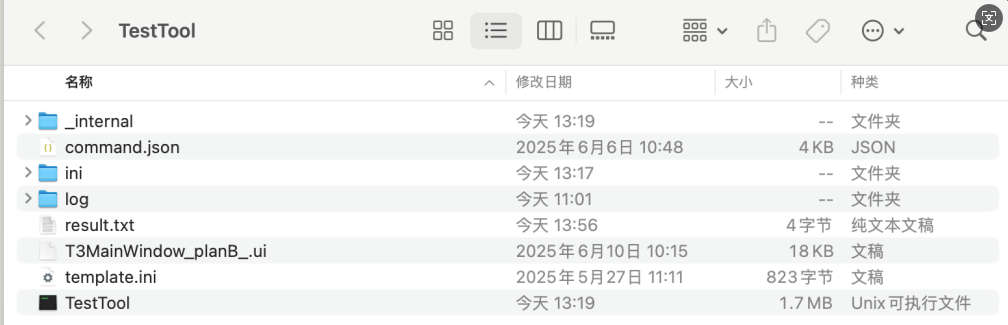
1.Introduction to Software and Configuration Files: ini folder--Configuration files for test process item Log folder—Folder for recording detailed & Debug logs of test program execution result.txt—File for recording overall test results TestTool—Test main program |
|
2.Description of Configuration Files:
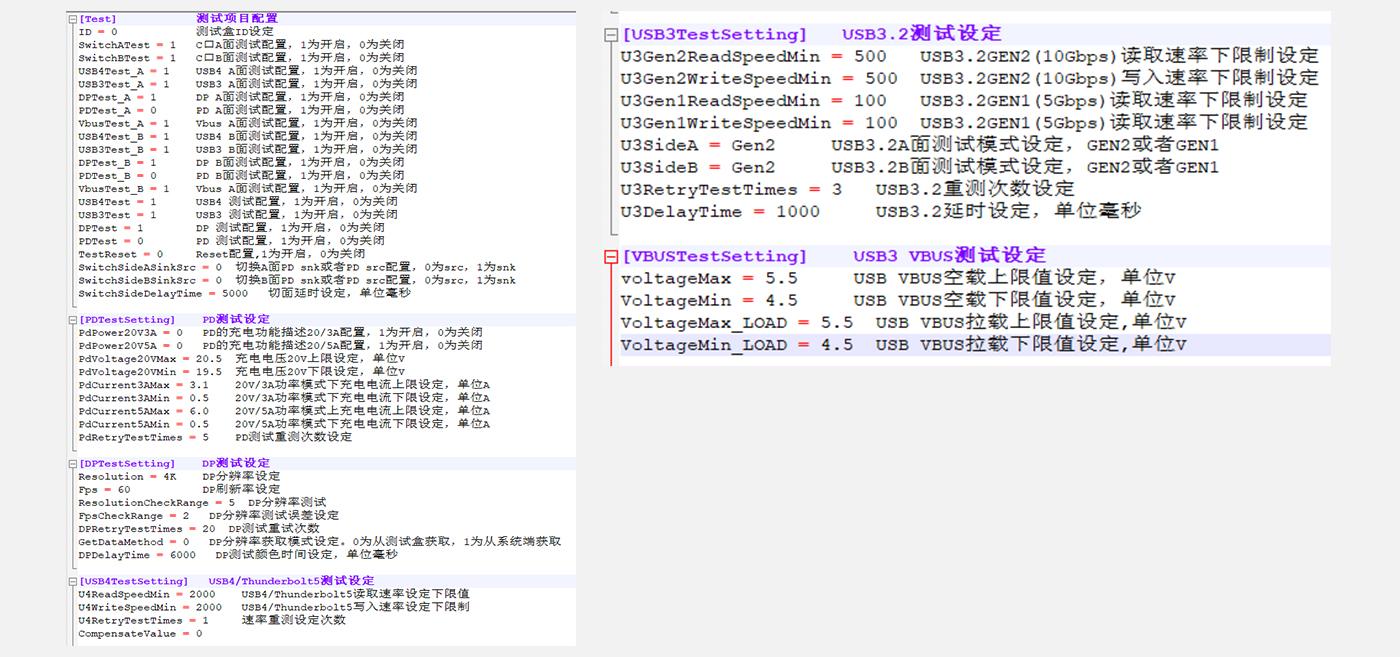
3.Software Usage:
Copy the test program package to the device under test, then enter the terminal and execute the TestTool main program under root permission to start the test;
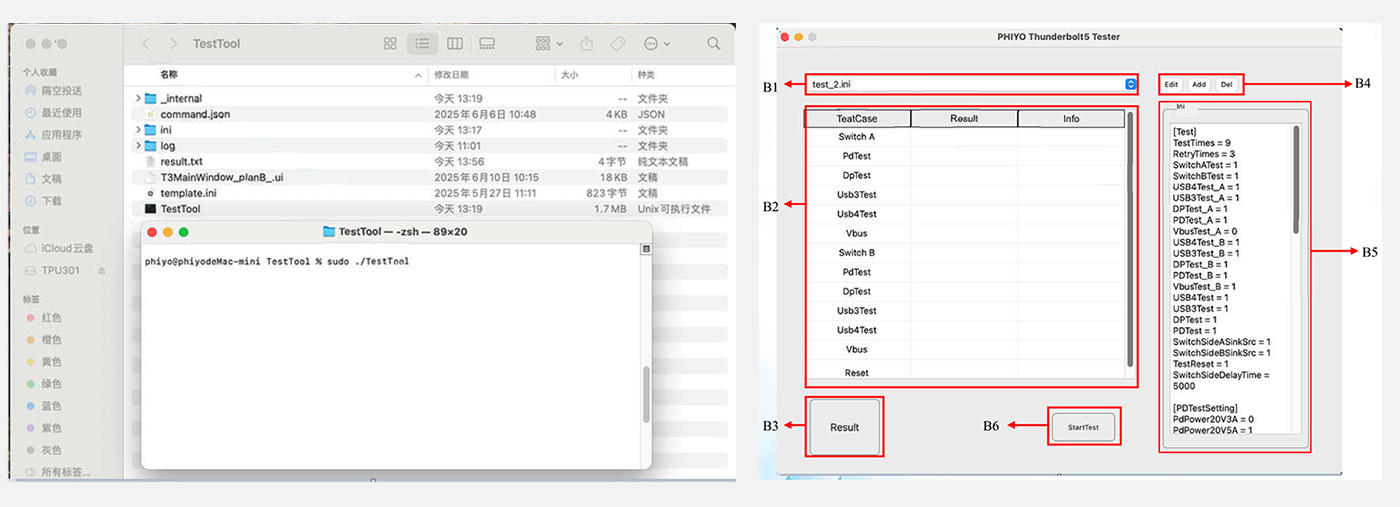
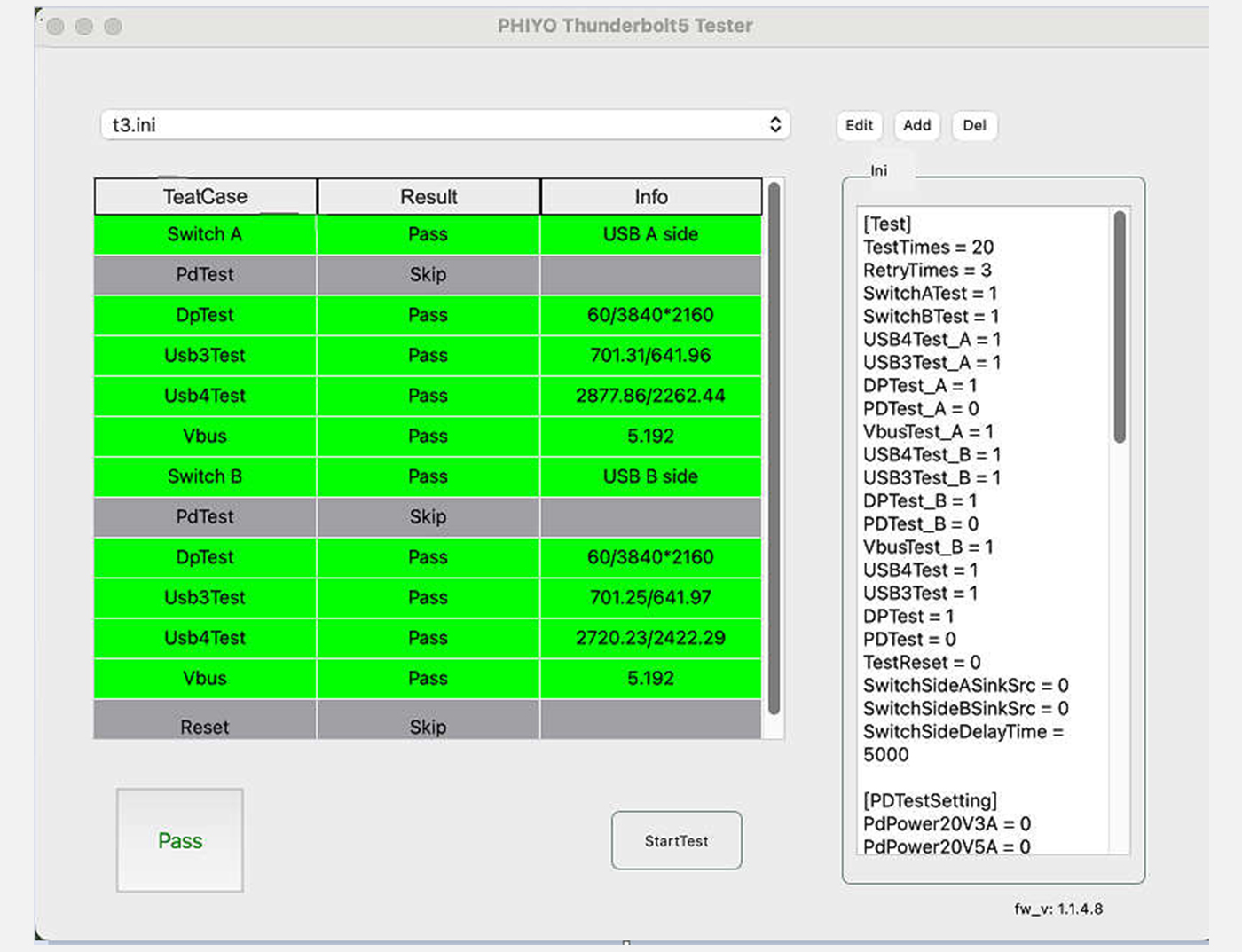
B1—Current test configuration items | B2—Test item process display field |
B3—Test result display field | B4—Test configuration editing settings, including ADD, Delete, Edit |
B5—Test configuration ini display field | B6—Test start button |
After opening the above test interface, select the corresponding test configuration ini (e.g., t3.ini). The test results are as follows:
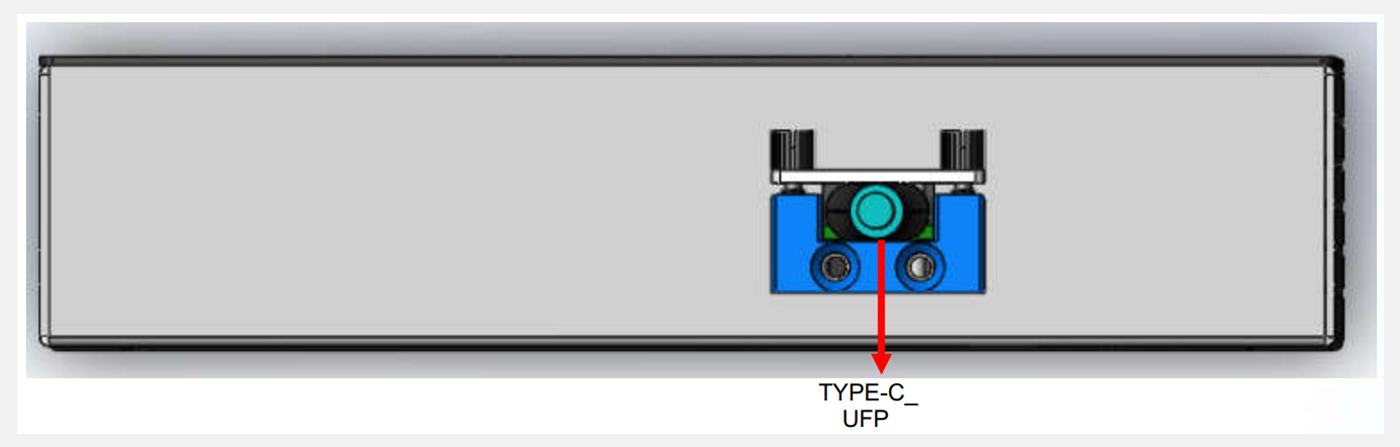
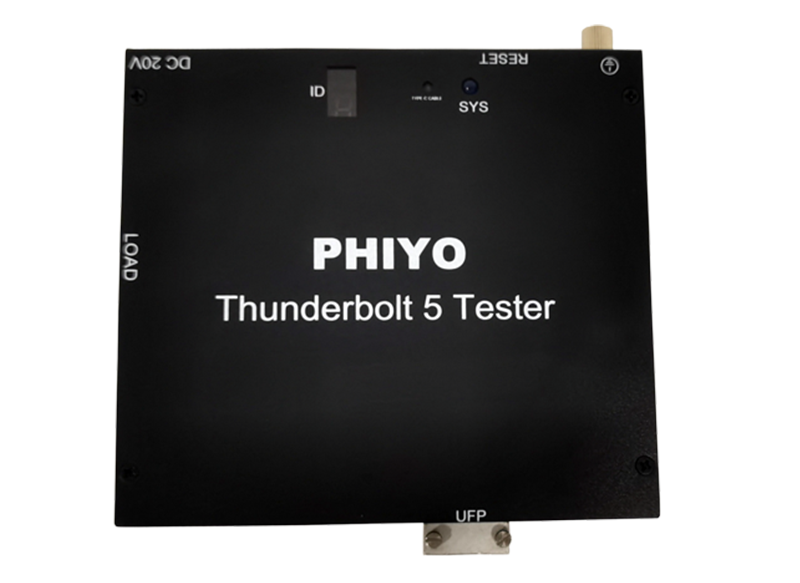
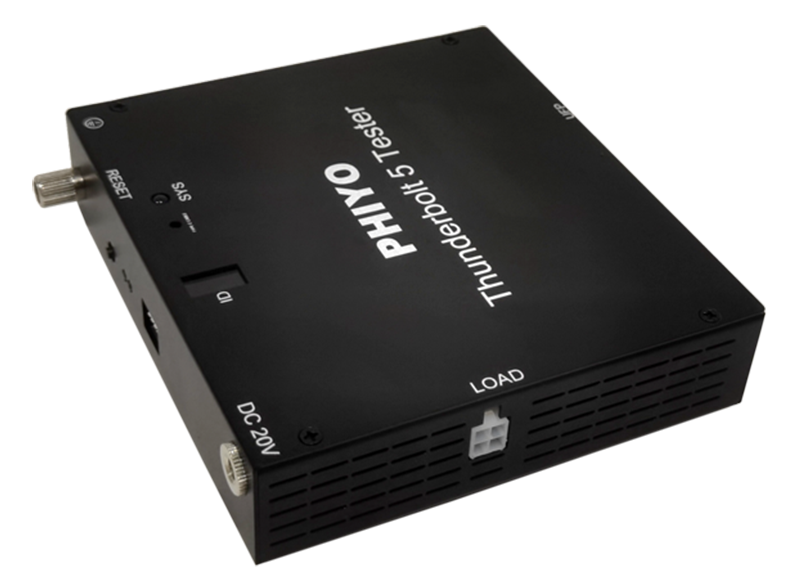
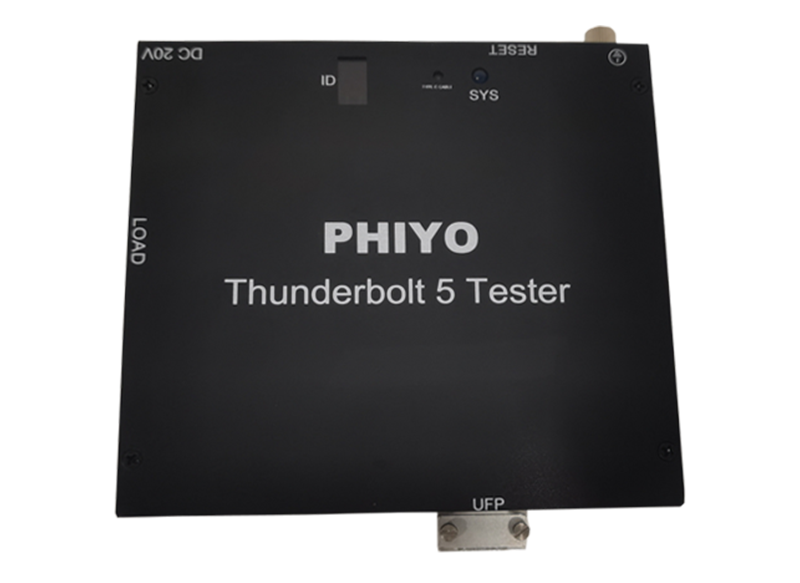
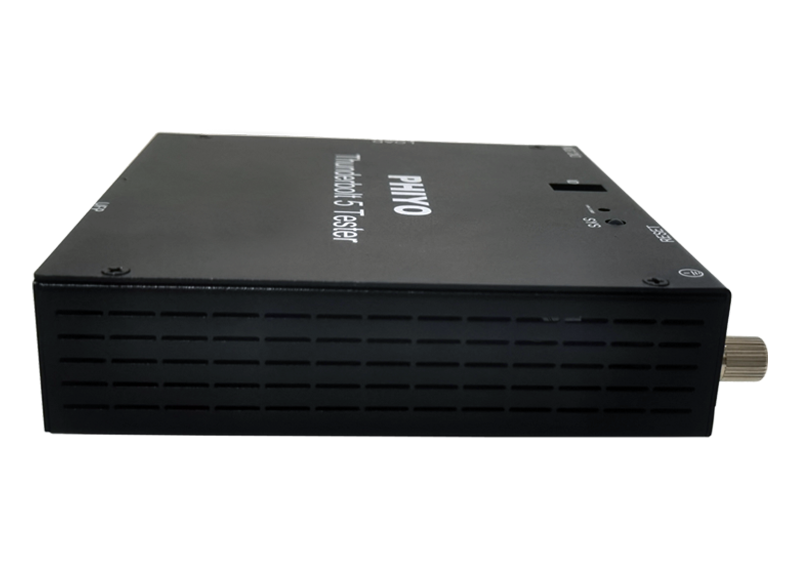
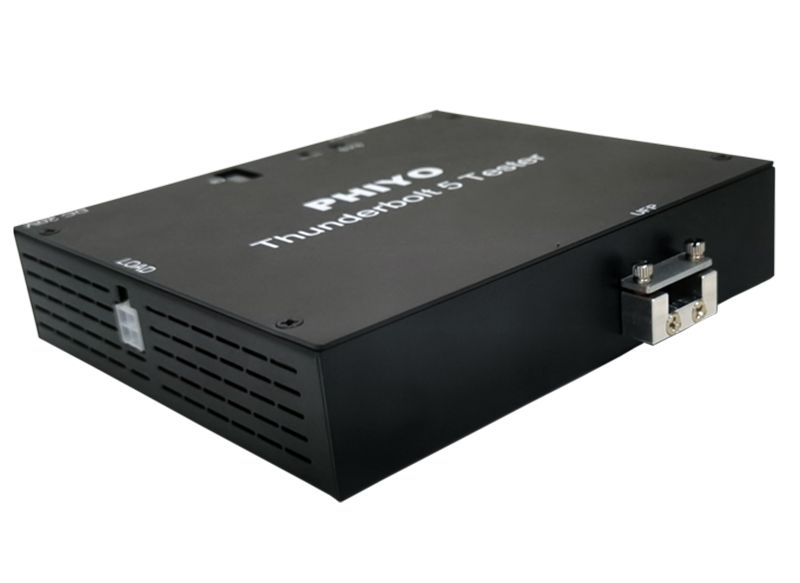
Front view
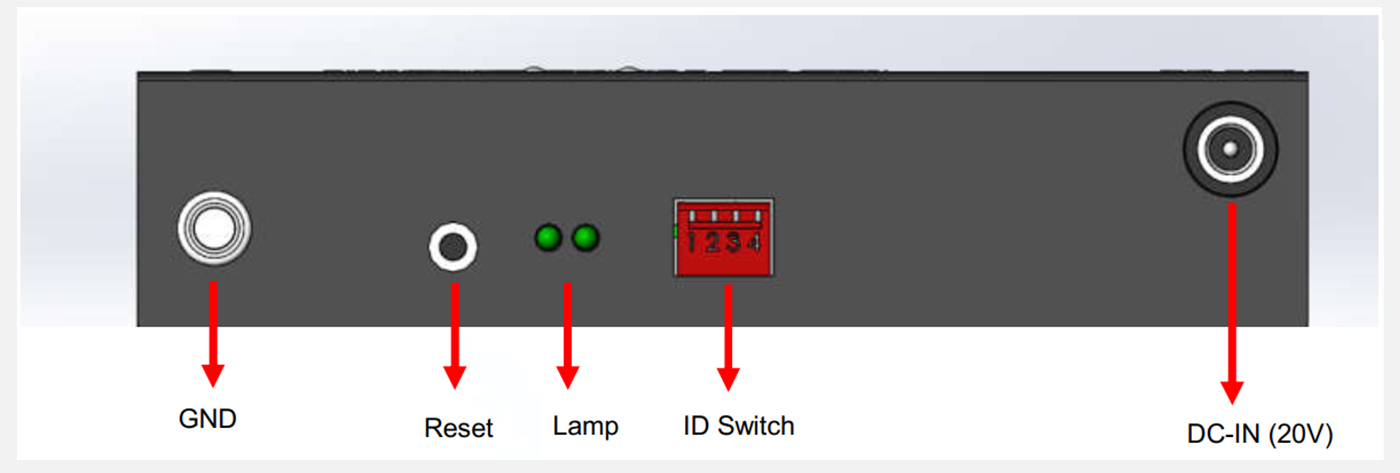
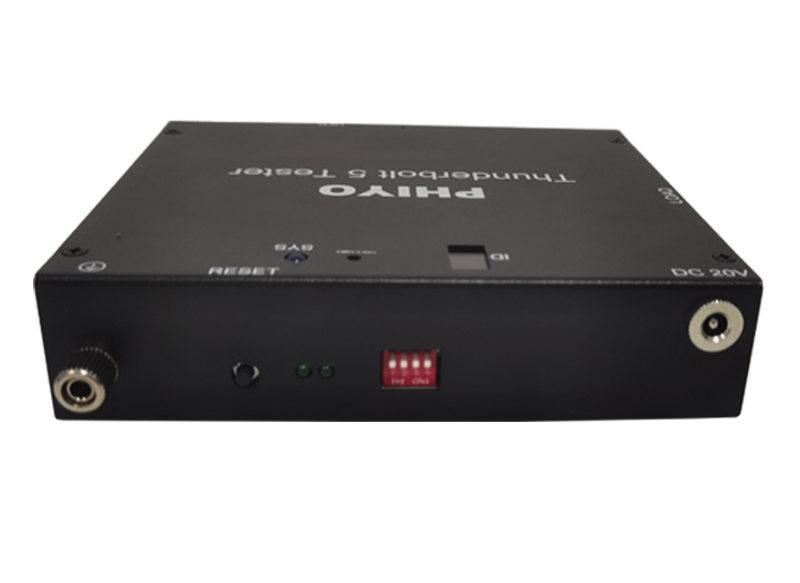
Back view
Product Model | TBT-03 | |
Hardware Specifications | USB | Type-C |
Dimensions | Length * Width * Height:152mm*138mm*34mm (with fixture) | |
Weight | 700g (with fixture) | |
Operating Voltage | DC_IN 20V | |
Compatibility | Supported Operating Systems | Windows 10,Windows 11,Windows 8.1,Windows 8,MAC iSO,Linux, Chrome OS |
Type-C Interface Compatibility | USB 2.0&3.2(GEN1,GEN2)、DP2.1 (8K@30Hz)、PD 3.1、Thunderbolt5(80Gbps)、Thunderbolt3&4(40Gbps) | |
Operating Environment | Operating Temperature Range | -10℃ ~ 60℃ |
Operating Humidity Range | 10%~85% | |
Storage Humidity Range | 5%~95% | |
Title | Description |
Version Download |
|

Q1:The software does not execute the test normally after opening |
Please confirm whether the ID set in the program configuration is consistent with the ID displayed on the tester's nixie tube. If not, the test will not proceed. Also, ensure that the cable used is the original one; market - available cables may not be compatible with the tester for normal testing. |
Q2:Abnormal PD test |
First, confirm whether the device under test is a notebook (NB). If it is a device without a battery, it does not support PD charging tests, and the PD charging test item should be removed before testing. |












 >
>

 Click Download